Microsoft is turning on pay-per-use billing for new Copilot Business licenses on December 1. Half of businesses that paid for AI last year already got a bill bigger than they expected. Here is how to set your limits before the meter starts running.
By Warren Schuitema, AI Systems Consultant, Matchless Marketing / Matchless AI
Published: October 30, 2026 | Last Updated: October 2026

Most of us know what our phone bill will be before it shows up. Same with the internet. Same with the streaming apps the kids keep adding.
AI is starting to work more like the electric bill. The more it does, the more you pay.
On December 1, 2026, Microsoft will switch on usage-based billing by default for new Microsoft 365 Copilot Business licenses bought through its partner channel. That means the newer agent features get paid for in "Copilot Credits," on top of the monthly license. The default limit is 4,000 credits per user per month. Microsoft did not put a dollar figure in its announcement. Several Microsoft partners and the trade outlet CRN do the math at about a penny a credit, which would put that ceiling near $40 per person, per month.
So how do you keep AI usage charges from surprising your small business? You set the ceiling yourself, before the meter runs. Find every AI tool that bills by use. Put a monthly cap on each one that matches what the work is worth to you. Then check the meter every week for the first month. Defaults are set by the company sending the bill. Your limits should be set by you.
This is good news, by the way. Pay-as-you-go means you can try the powerful stuff without a big commitment. You just need to be the one holding the dial.
Key Takeaways
- Starting December 1, 2026, new Microsoft 365 Copilot Business licenses bought through Microsoft's partner channel come with usage-based billing turned on, with a default limit of 4,000 Copilot Credits per user per month.
- In a Pax8 survey of 1,150 decision-makers at companies with 5 to 499 employees, 49% of businesses that paid for AI in the past year got at least one bill or usage charge higher than expected. In the United States it was 57%.
- Gartner predicts that through 2028, at least half of generative AI projects will go over their budgeted costs.
- The fix is simple: list every AI tool that bills by use, set your own monthly cap, and check the meter weekly until you know your normal.
- A cap only protects you if you decide what happens when it is hit before the month starts.
Your AI Bill Is Starting to Work Like the Electric Bill
For years, most AI tools had one price. Twenty dollars a month, maybe thirty. You paid it, you used it as much as you wanted, and that was that.
That is changing fast.
The new AI features do more than answer questions. They take steps. They build files, run research for an hour, sort through your documents, and work in the background while you do something else. That work costs the AI company real money every time it runs. So more and more of them charge you every time it runs.
Pax8 asked U.S. businesses how they pay for AI. The answer was a near three-way tie. 46% pay usage-based pricing, 41% pay fixed subscriptions, and 40% pay per seat. Those numbers add up to more than 100%, so plenty of businesses pay more than one way, across different tools.
Here is the part that matters for a busy owner. A flat subscription is easy. You see it once a month and you know it. A usage bill moves. It moves when you try a new feature. It moves when your assistant runs a big job on a Sunday night. It moves when a setting you never touched quietly adds a new service to the tab.
That last one is real. In Microsoft's own admin guide for these spending policies, a setting called "Auto-apply new services" is turned on by default. When Microsoft adds a new metered agent or service, it can fall under your existing spending policy without you doing anything. Microsoft also says it "will add more agents and services over time."
Metered pricing works this way everywhere. The company sets reasonable defaults for the average customer. You are not the average customer. You are a two-person shop, or a mom running a business from the spare room, or a dad squeezing client work in after bedtime. Your limits should match your business.
I have felt this one myself. I pay for a coding tool that bills by usage, and my bill on it moves from month to month depending on how hard I push it. The tool is worth it. The swings are the part that catches you off guard.
The Numbers Say Surprise Bills Are Already Common
This is already happening, to businesses like yours.
Half of AI buyers have already been surprised. Pax8, a company that sells cloud software through IT providers, surveyed 1,150 business owners, executives, and managers at companies with 5 to 499 employees in the U.S., U.K., Germany, and Sweden for its Q3 2026 Pulse report. Among businesses that paid for AI in the past year, 49% got at least one bill or usage charge higher than they expected. In the U.S., that number was 57%. (Pax8 sells to IT providers, so it has a stake in this topic.)
Usage pricing is the hard part to predict. The same Pax8 report put it plainly: "Usage-based charges are the hardest to forecast, and grow as businesses build more agents and workflows." The more you lean on AI to do real work, the more that line on the bill matters.
The pros miss their budgets too. Gartner, the research firm big companies pay to forecast tech trends, predicts that "through 2028, at least 50% of GenAI projects will overrun their budgeted costs due to poor architectural choices and lack of operational know-how." That is from Gartner's report on cutting generative and agentic AI costs, as reported by THE Journal in June 2026. If companies with full IT departments blow their budgets, a solo owner with no one watching the meter is even more exposed.
The swings can be big. Eyad Tachwali, a senior director at Gartner, told Computer Weekly that token-based pricing, which is how most AI usage is measured, "can really blow up your cost by five to 10 times." He added, "It becomes very variable and it's very difficult to predict."
Microsoft's default is generous on purpose. Back to the news hook. Microsoft's own partner announcement gives an example: a customer with 100 Copilot Business users "could consume up to 400,000 Copilot Credits per month" at the default limit. Admins can change that limit. The starting number is built to keep the AI running. Keeping your bill small is your job.
Put it together and here is the picture. More of your AI is moving to pay-per-use. Half of buyers have already been surprised. The experts say it is hard to predict. And the default settings lean toward "keep going."
That is a recipe for a January bill nobody planned for.
Set the Ceiling Before the Meter Runs
I spent 16 years in manufacturing and supply chain. One habit from the plant floor fits this perfectly.
On a production line, you do not wait for the monthly report to find out something went wrong. You set limits on the process ahead of time. You decide in advance what a normal day looks like, and what number means "stop and look." When a measurement crosses that line, someone checks it right away. Not at month end. Right then.
That is the whole idea behind the AI usage bill. It is easy to run AI tools with no limits of your own and wait for the month-end report, which is the bill. By then the money is spent.
So here is the shift I recommend. I call it Set the Ceiling Before the Meter Runs.
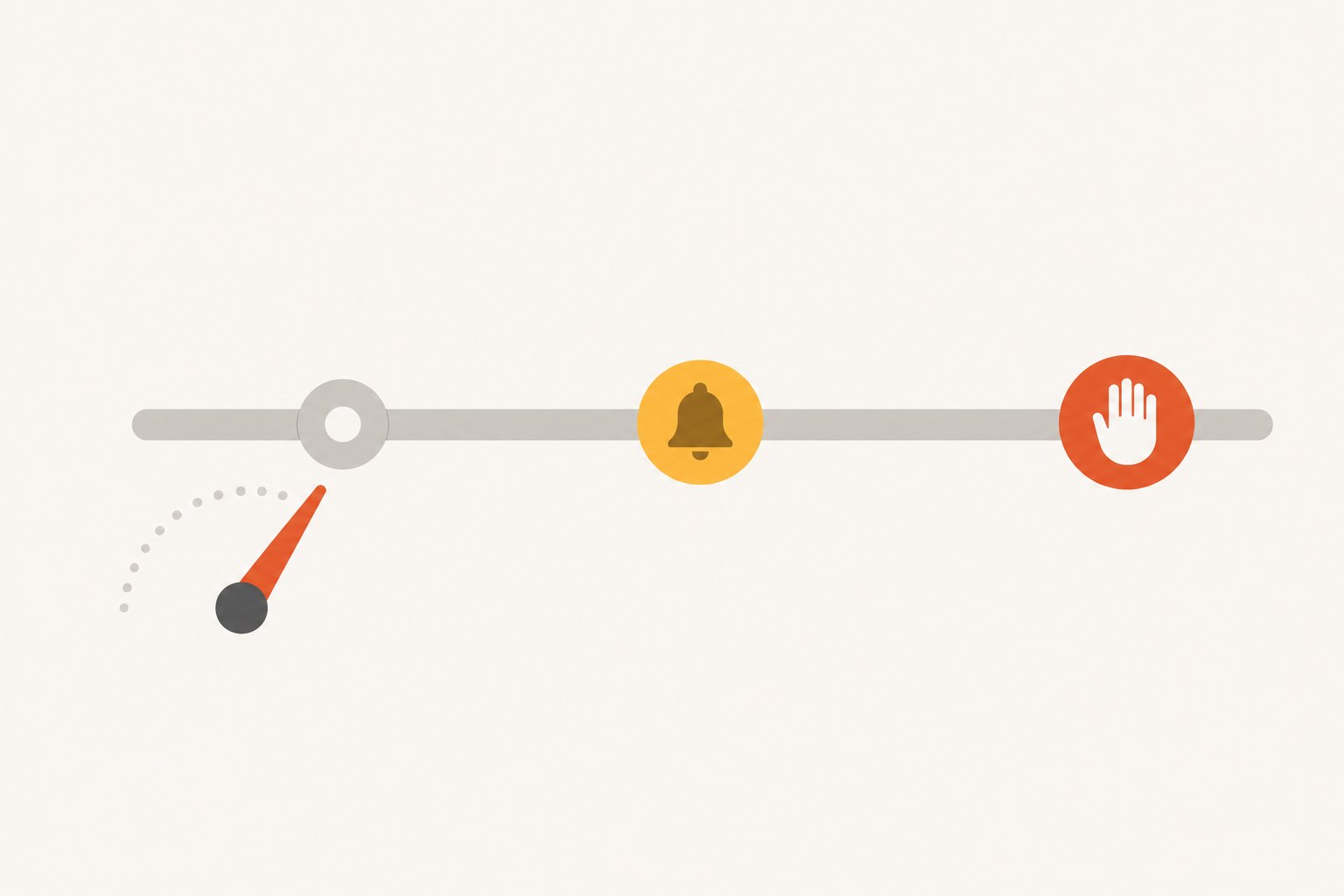
Before you turn on any AI feature that bills by use, you decide three things:
- The ceiling. The most you are willing to spend on it in a month.
- The trigger. The point where you want a heads-up, usually around half the ceiling.
- The stop rule. What happens when the ceiling is hit. Does it shut off until next month, or do you get a call to approve more?
That third one is the easiest step to skip. And it matters. In Microsoft's setup, when a user hits a limited budget, they lose access to the metered agents and services for the rest of the month until the credits reset on the first. That is a fine rule, if you chose it. It is a bad surprise if you are in the middle of a client project on the 22nd.
The ceiling protects your Money. The stop rule protects your Time. Deciding both ahead of time protects your Energy, because you are not making a money call in a panic.
How My AI Workforce Stays Inside Its Budget
I run Matchless with a workforce of AI agents. They research, draft content, keep notes, and handle a lot of the day-to-day work. This article came out of that system. An agent found the news, checked the numbers, and drafted it. It is sitting in my review pile right now.
Every one of those agents follows the same hard rule. Draft first. I am the only approval gate. Nothing sends, posts, invoices, books, buys, signs, or spends until I say yes.
That rule covers spending too. No agent gets to decide to buy more capacity, upgrade a plan, or sign up for a new tool on my behalf. If more power would help, it goes in a draft for me to approve, with what it costs.
Why so strict? Because an agent will happily keep working. That is its job. It does not feel the bill. You do.
I wrote more about how much access an agent should get in the Read, Draft, and Act keys for AI agents. The short version: money stays behind your yes. A usage cap is just that same rule, enforced by the billing system instead of by you.
For the companion piece on giving a tool access one step at a time, see Should You Connect ChatGPT to Your iCloud Mail and Calendar? where the calendar comes first and the outbox comes last.
The same thinking runs at home.
My Digital Wall Calendar replaced a $50 a month subscription and the nightly "what does tomorrow look like" talk. Part of what made that worth building was simple: a cost I chose and control beats a cost that keeps growing on someone else's schedule.
My Weekly Meal Planner replaced HelloFresh and ended the Sunday planning spiral. Same idea. We set the rules as a family first, what we eat and what we spend, and the system works inside them.
That is the order. People set the limits. Systems work inside them.
Run the Time, Money, Energy Test on Every Metered AI Tool
Every system I build has to give back Time, Money, or Energy. If it gives back none, it goes. Here is how that test works on a pay-per-use AI feature, with a made-up example. This is a pretend business, not a client story.
Picture a dad who runs a small bookkeeping practice from home with one part-time helper. His IT provider sets him up with Copilot Business in December. He hears the new agent features can draft client summaries and sort receipts in the background. He turns them on.
Time. Say the agent saves him three hours a week on summaries. That is real Time back, the kind that gets him to his kid's game. Good. Now he knows what the feature is worth to him.
Money. Here is where the ceiling comes in. If he never sets one, he is trusting the default. If he does the math and decides three hours a week is worth $30 a month to him, he can set a cap that matches. Now the tool has to earn its keep inside a number he picked.
Energy. This is the one people forget. A surprise bill costs more than money. It costs a bad morning, a call with the IT provider, and a week of second-guessing every tool he uses. Setting the stop rule ahead of time means he never has that morning.
For him, the feature passes the test with a ceiling. Without one, it is a gamble.
And if he is weighing a fully proactive agent that picks its own work, I covered the extra questions to ask in my take on proactive agents like Claude Duet. An agent that decides what to work on is also an agent that decides what to spend on.
7 Steps to Cap Your AI Usage Charges This Week
You do not need a finance team for this. You need about an hour and your last two months of statements.
- List every AI charge you pay. Open your bank and card statements for the last two months. Write down every AI tool, the amount, and whether it is a flat fee or a usage charge. Look for words like "credits," "usage," "tokens," or "overage." You may find a tool or two you forgot about.
- Mark the ones that bill by use. Circle any charge that changed from one month to the next. Those are your metered tools. They are where surprises come from, so they get the most attention.
- Ask your IT provider one direct question. If someone else manages your Microsoft account, email them before December 1: "Will any new Copilot Business licenses we buy have usage-based billing turned on, and what spending limit is set?" If you manage it yourself, Microsoft's guide says to go to the Microsoft 365 admin center, then Copilot, then Cost Management.
- Set your ceiling, your trigger, and your stop rule. For each metered tool, write three numbers on one line. "Copilot agents: ceiling $40, heads-up at $20, shut off at the ceiling." Then go put those numbers into the tool's spending or budget settings wherever it offers them.
- Turn off auto-add where you can. In Microsoft's spending policies, look for the "Auto-apply new services" setting. It is on by default. Turning it off means a new metered service has to be added on purpose, by you. Check other tools for similar "add new features automatically" settings.
- Check the meter every Monday for four weeks. Put a 5-minute reminder on your calendar. Look at what each metered tool used last week. After a month, you will know your normal. After that, a monthly check is enough.
- Match every cap to what the work is worth. Once a month, ask one question for each metered tool: what did this give me back in Time, Money, or Energy? If the answer is "not much," lower the cap or cancel it. If the answer is "a lot," raise the cap on purpose.
Frequently Asked Questions
What is usage-based billing for AI tools?
Usage-based billing means you pay for how much an AI tool actually does, not a flat monthly fee. It is measured in credits, tokens, or tasks. Heavy use costs more, light use costs less. It lets small businesses try powerful AI features cheaply, but the bill can change a lot from month to month unless you set a cap.
What changes with Microsoft Copilot Business billing on December 1, 2026?
Starting December 1, 2026, new Microsoft 365 Copilot Business licenses bought through Microsoft's partner channel come with usage-based billing on by default. Newer metered agent features are paid for in Copilot Credits, with a default limit of 4,000 credits per user per month. Admins can change that limit in the Microsoft 365 admin center under Copilot, then Cost Management.
Does setting a spending cap stop AI from working?
It can, and that is why you should decide ahead of time. In Microsoft's setup, users who hit a limited budget lose access to the metered agents and services until credits reset on the first of the month. Other tools may pause, warn you, or charge overage. Read the tool's rules and pick the stop rule that fits your workload.
How much should a small business budget for AI each month?
There is no single right number. Start with what the work is worth to you. If an AI feature saves you three hours a week, decide what those hours are worth, and set your monthly cap below that amount. Check actual use weekly for a month, then adjust. The right budget is one you chose on purpose.
Is usage-based AI pricing a bad deal for small businesses?
No. Pay-per-use pricing lets small businesses use powerful AI without big upfront costs, and light users can pay very little. The real risk is the surprise. In a Pax8 survey, 49% of businesses that paid for AI got a higher-than-expected bill. A monthly cap and a weekly check remove most of that risk.
Hold the Dial Yourself
Back to that electric bill. Nobody gets mad at the power company for charging by use. We just learn to turn off the lights when we leave the room.
AI is getting there. The tools are about to do a lot more of the work for us, in the background, while we are at the game or at the dinner table. For a lot of us, that is the reason we started a business: more time with the people who matter, doing the work we are good at.
But a tool that works while you are away also spends while you are away. Microsoft's default is built to keep the AI running. Your default should be built to keep your business healthy.
So before December 1, make your list. Pick your numbers. Decide what happens when the meter hits the line. Ten minutes on a Monday is cheap insurance against a bad morning in January.
Let the AI do the heavy lifting. Keep your hand on the dial. That is A Better Way.
Keep Learning
- Should You Give an AI Agent the Passwords to Your Business Accounts? The Read, Draft, and Act keys, and why money stays behind your yes.
- Is Your AI Assistant Quietly Making Your Business Decisions for You? Why your own call should come first, and how to let AI argue with it.
- Should You Let a Proactive AI Agent Like Claude Duet Decide What Needs Your Attention? What happens when an agent starts choosing your priorities for you.
- Is Google's New Gemini Business Hub Worth Using for Your Small Business? How Google's business agent works, and who it fits.
- Should You Let Meta's Muse AI Agent Help Run Your Small Business? A three-stage plan to try Meta's new agent without handing over the keys.
About the Author
Warren Schuitema is an AI Systems Consultant with Matchless Marketing and Matchless AI. He spent 16 years in manufacturing and supply chain, where he learned to set limits on a process before it runs. He runs his business day to day with a workforce of AI agents that draft fast and never spend a dollar without his approval. At home, his Digital Wall Calendar replaced a $50 a month subscription and his Weekly Meal Planner replaced HelloFresh. He helps small business owners and parent entrepreneurs build practical AI systems that give back Time, Money, or Energy, and he is a partner in the Goal Achievers Summit.