Perplexity just launched an AI agent that can read your Shopify sales, build the promo page, set up the Meta ads, and write the Klaviyo emails from one request. Here is what it does, where it can save your holiday season, where it can cost you, and the three gates I'd put in place before I let it touch a single dollar.
By Warren Schuitema, AI Systems Consultant, Matchless Marketing / Matchless AI
Published: November 10, 2026 | Last Updated: November 2026

Black Friday is November 27 this year. If you sell anything online, you can feel it coming.
You know the list. Pick the sale. Build a landing page. Make the ads. Set a budget. Write three emails. Then do it again for Cyber Monday. And somewhere in there, make dinner and sign a permission slip.
On November 3, 2026, Perplexity offered to take that whole list off your plate. Its new Computer for e-commerce connects to Shopify, Meta, and Klaviyo. From one plain-English request, it can study what's selling, build the promo page, set up the ad campaign, and write the emails.
So should you let an AI agent run your holiday marketing campaign? Yes, you can let it do the work. Let it dig through your sales, draft the page, make the ads, and write the emails. But keep three decisions for yourself: what goes live, what gets sent, and what gets spent. Set those gates before you connect anything, and an agent like this can give you back whole evenings in the busiest month of your year.
That's the short answer. Here's how to do it without getting burned.
Key Takeaways
- Perplexity launched Computer for e-commerce on November 3, 2026. It works across Shopify, Meta ads, and Klaviyo email from a single request.
- Perplexity says businesses set the goals, budgets, and approval rules, and can choose which actions need review, including publishing pages, sending emails, and spending on ads.
- 77% of U.S. small and midsize businesses now use AI regularly, and marketing is the top use, according to the Intuit QuickBooks 2026 AI Impact Report.
- Adobe expects a record $275.1 billion in U.S. online holiday sales this season, so a sloppy campaign this month costs more than in any other month.
- My rule: the agent does the work, and you keep three gates. Publish, Send, and Spend. Nothing crosses a gate without your yes.
What Perplexity Computer for E-commerce Actually Does
Let's keep this plain and stick to what Perplexity has said.
What it is. Perplexity Computer is the company's AI agent. It does multi-step jobs across your apps instead of only answering questions. The new e-commerce version is aimed at store owners. Perplexity's own description: it can "analyze Shopify sales, build product pages, and create ad and email campaigns."
What it connects to. Perplexity's announcement names three tools: Shopify for your store data and landing pages, Meta for advertising, and Klaviyo for email. Its e-commerce page lists more connectors too, including WooCommerce, Wix, Squarespace, Google Ads, TikTok, Mailchimp, Canva, Stripe, and QuickBooks.
What it does, step by step. According to Perplexity, Computer can:
- Look at your Shopify sales and suggest which products or collections to push.
- Build an on-brand landing page in Shopify.
- Create static ads and turn videos that worked into new versions.
- Set up Meta campaigns and link the ads to your Shopify pages.
- Build Klaviyo campaigns, pick or build the audience, and write the email copy.
The controls. This is the part I care about most. Perplexity says "Computer does the work within the goals, budgets, and approval requirements the business sets." It also says "teams specify which actions need review, including publishing pages, sending emails, and spending on ads." Its example request includes a two-week Meta campaign "capped at $1,000" and a line that says "Show us all materials for review before launch."
One honest note. Perplexity's e-commerce page also describes a store where the agent adjusted ad budgets daily to hit the brand's targets. That's a feature some stores will want. It's also exactly the kind of thing you should decide on purpose, not by default.
The Holiday Rush Is When You Most Want Help and Can Least Afford a Mistake
If you run a small business from home, you're the merchandiser, the designer, the ad buyer, and the customer service desk. Same person. Every role. And the busiest selling month lands right on top of the busiest family month.
That's exactly why a tool like this is tempting. It's also why it's risky.
Think about what can go wrong in a single week of holiday marketing:
- A landing page goes live with last year's price.
- An email goes to your whole list instead of the people who bought last year.
- An ad keeps spending all weekend on a product that sold out Friday night.
When an agent makes one of those mistakes at 2 AM, it can repeat before you wake up.
I spent 16 years in manufacturing and supply chain before I built my first AI system. One lesson from that world has stuck with me more than any other. You don't inspect quality at the very end and hope. You put checkpoints where the expensive stuff happens. Before material gets cut. Before a batch gets shipped. Before the truck leaves the dock. The checkpoint goes where a mistake becomes hard to take back.
Holiday marketing has the same kind of moments. A page goes public. An email hits inboxes. Money leaves your account. Those are the points where a mistake gets expensive. Everything before them is just drafts.
The Numbers Say Small Businesses Already Trust AI With Marketing
Here's what the research says about where small businesses are right now.
AI is normal now, and marketing leads. The Intuit QuickBooks 2026 AI Impact Report, built with economists at the University of Chicago, drew on more than 34,000 survey responses from small and midsize business owners. 77% of U.S. small and midsize businesses said they use AI regularly as of January 2026. That's up from 48% just 18 months earlier. Marketing was the top use, at 45% of businesses using AI.
The worries are about mistakes. That same Intuit report found the top barriers across all four countries it studied were data privacy, fear of errors, and not knowing what AI can do. Fear of errors is a fair worry. An agent that can spend money makes it more fair.
Owners want help learning the ropes. Thryv's 2026 AI and Small Business Adoption Survey of 561 small and mid-sized business owners found adoption rose to 66%, up from 55% a year earlier. Seven in ten said they need more training. And 46% said they would choose AI over a new hire if both could do the task equally well.
Marketing workloads keep growing. Constant Contact's Q1 2026 Small Business Now report surveyed more than 1,500 small business owners. 54% already use AI marketing tools. 74% expect to spend more time on marketing this year, and 68% plan to raise their marketing budgets.
The holiday stakes are big. Adobe forecasts a record $275.1 billion in U.S. online holiday sales from November 1 through December 31, up 6.7% from last year. It expects Cyber Monday alone to reach $15.1 billion. Adobe also expects traffic to retail sites from generative AI tools to rise 130% over last year.
Put that together. Most small businesses use AI, mostly for marketing, and they worry about errors in the month with the most money on the line. That's a case for using an agent, and a stronger case for putting gates on it.
Three Gates Keep an AI Agent Working for You
Here's my take, and it comes straight from the factory floor.
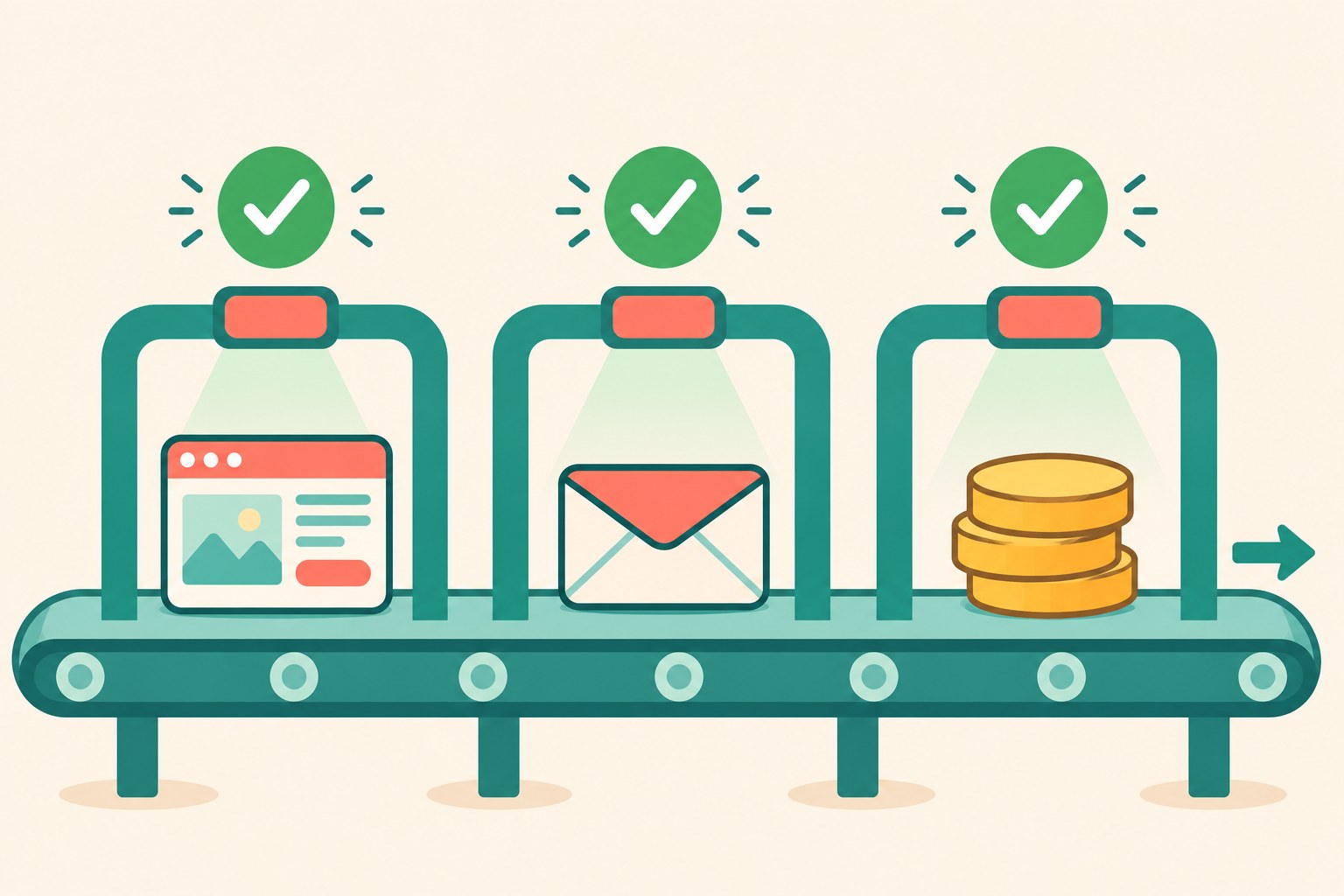
An AI agent should do the work. You should own the moments where work becomes real. I call these the Three Gates.
Gate 1: Publish. Nothing goes public without your yes. That covers landing pages, product pages, and ads that go live. The agent can build all of it. You look at it before a customer can.
Gate 2: Send. Nothing lands in a customer's inbox without your yes. That covers emails, texts, and anything that reaches a person. You check the audience, the offer, and the timing before it goes.
Gate 3: Spend. No money moves without your yes. That covers ad budgets, budget increases, new campaigns, and new audiences. You set a hard cap. The agent works inside it. Any change to the cap comes back to you.
Behind the gates, let the agent run. Let it dig through your sales data. Let it draft five landing pages. Let it make twenty ad versions. Let it write the whole email series. That's where the hours come back, and it's where a mistake costs you nothing, because nobody sees a draft.
Perplexity named those same three actions in its own announcement: publishing pages, sending emails, and spending on ads. The switches exist. Your job is to flip them on before you start, and keep them on after the first campaign goes well.
My AI Workforce Runs on the Same Three Gates
Matchless Marketing runs day to day on a workforce of AI agents. Each one has a name, a written job description, and one lane. One drafts content. One keeps the numbers. One handles admin. This article started in that system.
And every agent has the same rule written into its instructions. Nothing sends, posts, invoices, books, buys, or spends without my word. The agents draft. I approve. I'm the only gate.
That rule is the reason I can let the agents move fast. When I know nothing goes out without me, I can hand them bigger jobs. Speed with a gate is safe. Speed without one is how you end up writing an apology email on a Saturday.
The same thinking runs my house.
When I built our Weekly Meal Planner, it replaced HelloFresh and ended our Sunday planning spiral. I decided the rules once: what we eat, what the kids will actually eat, and what fits the grocery budget. Now the planner does the repeat work every week. I don't re-argue the rules every Sunday.
Our Digital Wall Calendar works the same way. It replaced a $50 a month subscription and the nightly "what does tomorrow look like" conversation. Everyone checks one source of truth.
Your Three Gates are the rules you decide once. Set them before Black Friday. Then let the agent do the repeat work inside them.
Where an AI Marketing Agent Helps and Where It Needs a Leash
If you try an agent like this before the holidays, here's where I'd point it first.
Good jobs for it:
- Sales analysis. Ask it which products sold best last November and which ones are trending now. You'll get an answer in minutes that might take you an evening in spreadsheets.
- First drafts of everything. Landing pages, ad copy, ad variations, and email series. Drafts are cheap and fast, and they stay private until you approve them.
- Campaign setup. Naming, linking ads to pages, building audiences. Tedious work an agent does well.
Jobs that need a leash:
- Raising ad budgets on its own. Set a hard cap and require your yes for any increase. A good weekend can turn into a big bill fast.
- Emailing your whole list. Approve the audience every time. Holiday inboxes are crowded, and one wrong blast can drive unsubscribes.
- Prices and discount codes. Check every number against your store before anything goes live. Typed by you or confirmed by you.
- Promises. Shipping cutoffs, return windows, and "arrives by Christmas" claims must come from your real policies. Never let an agent invent them.
- Anything after you go to bed. If it would go live overnight, it waits for morning.
Here's a quick example to make this concrete. This is a made-up shop, not a client story.
Picture a dad who sells hand-carved cutting boards from his garage. On a Sunday night, he asks the agent to look at last year's November sales, suggest a holiday bundle, build a landing page, draft four Meta ads, and write a three-email series. He caps ad spend at $300 for the week and marks all three gates for review. Monday morning, the drafts are waiting. One ad uses a photo of a board he stopped making. He cuts it. The email says "free shipping," and his store charges shipping under $75, so he fixes it. Then he approves the rest. Twenty minutes of review instead of a lost weekend.
The agent did the work. He kept the gates.
What Does It Cost, and Who Should Wait?
Perplexity's pricing page lists Computer access as part of its Pro plan, with more usage on Max. It shows Pro at $17 a month and Max at $167 a month, both when billed annually. Usage limits and credits apply, and these details change, so read the current pricing page before you commit.
Your ad budget is the bigger number, though, and the agent may be managing it. That's why Gate 3 matters most.
A few kinds of businesses should probably wait until January:
- Brand-new stores with little sales history. The agent has less to learn from, and its suggestions will be thinner.
- Anyone who hasn't set up their own Meta ads before. If you can't tell a good campaign from a bad one, you can't approve one. Learn the basics first.
- Owners who won't check daily. If you can't look at a summary once a day through December, keep the agent on drafts only.
A tool tested calmly in January beats a tool rushed in on Black Friday.
7 Steps to Test an AI Agent on Your Holiday Campaign
- Write your Three Gates down first. Before you connect anything, write one line for each gate: what needs your approval to publish, to send, and to spend. Keep it on a sticky note by your desk. This is your rulebook.
- Connect read-only data first. Start by letting the agent look at your sales, not change anything. Ask it which products sold best last holiday season and why. Check its answer against what you remember. If it gets your own store wrong, stop there.
- Set a hard spending cap. Pick a weekly ad budget you'd be fine losing completely while you learn. Put that number in your request, the way Perplexity's own example does with its $1,000 cap. Any increase needs your yes.
- Turn on review for every gate. Tell the agent, in writing, to show you all materials before launch. Include pages, ads, and emails. Don't assume review is on by default. Check the settings.
- Run one small campaign before the big weekend. Test with one product or one bundle in the week before Thanksgiving. Watch what it builds, what it spends, and how it reports. Black Friday is the wrong day for a first test.
- Check every draft against your real store. Prices, discount codes, shipping rules, return policy, and product photos. If anything doesn't match your store exactly, fix it or delete it.
- Ask for a daily report and keep score. Have the agent send you a short summary each morning: what's live, what's spent, what sold. After two weeks, compare your time spent and your results to last year. Keep what gives you back hours and still sells.
Frequently Asked Questions
What is Perplexity Computer for e-commerce?
Perplexity Computer for e-commerce is an AI agent that Perplexity launched on November 3, 2026. It connects to Shopify, Meta ads, and Klaviyo. From one request, it can analyze your sales, build a landing page, set up ad campaigns, and write marketing emails. Perplexity says you set the goals, budgets, and which actions need your approval.
Is it safe to let an AI agent spend money on ads?
It can be, if you set firm limits first. Put a hard weekly cap on ad spend, require your approval for any budget increase, and check a daily spending report. Start with a small test campaign before a big sales weekend. Never give an agent open-ended spending power during your busiest selling season.
Will an AI agent replace my marketing agency or freelancer?
For some small stores, it may handle work an agency used to do, like ad variations and email drafts. But someone still has to judge what's good, catch mistakes, and approve spending. If you don't have that skill yet, an agency or freelancer can teach you while you test an agent on drafts.
What's the biggest mistake small businesses make with AI marketing agents?
Letting the agent publish, send, or spend without review. Drafts are safe, because nobody sees them. The risk starts when a page goes live, an email goes out, or money moves. Keep approval on for all three, especially overnight and on weekends, when you can't catch problems quickly.
Do I need Shopify to use an AI marketing agent?
No. Perplexity's e-commerce page lists connectors for WooCommerce, BigCommerce, Wix, and Squarespace, plus Google Ads, TikTok, and Mailchimp. Other AI agents work with other tools. The same rule applies everywhere: let the agent draft and analyze, and keep your approval on publishing, sending, and spending.
Speed Is Cheap. Your Yes Is the Valuable Part.
Remember that list? Pick the sale. Build the page. Make the ads. Set the budget. Write the emails. Do it all again for Cyber Monday. All while the rest of life keeps going.
An agent like Perplexity Computer can take most of that list now. The digging, the drafting, the setup, the reporting. That's real time back in the month you have the least of it.
But the moments that matter still belong to you. The page a customer sees. The email that lands in her inbox. The money that leaves your account. Those are your gates, and your yes is what makes the whole thing trustworthy.
So run the test I run on every system in my business and my home. Does it give me back Time, Money, or Energy?
Time, because a weekend of campaign setup becomes twenty minutes of review. Money, because a hard cap and a daily report keep ad spend from running away. Energy, because you stop dreading the week before Black Friday.
Let the agent do the work. Keep the three gates. That's A Better Way.
Approval gates matter even more on long jobs, because agents drift from your rules as a job runs long, as I explain in Why Does Your AI Agent Forget Your Rules Halfway Through a Long Job?.
Keep Learning
- What Do Google's New AI Mode Ads Mean for Your Small Business? How AI search is changing where your products and ads show up.
- Can ChatGPT Make Your Small Business Product Photos and Holiday Graphics Now? Use AI for the holiday scene, and keep your real product real.
- Should You Let AI Read Your Bank Account? Why AI should look and explain before it ever acts.
- How Do You Get ChatGPT and Claude to Remember the Same Things About Your Business? Keep your brand rules in one file every AI tool can use.
- Should Your Small Business Use the Free AI Tools Your Bank Is Offering? What to check before you hand business data to a new AI tool.
About the Author
Warren Schuitema is an AI Systems Consultant with Matchless Marketing and Matchless AI. He spent 16 years in manufacturing and supply chain, where checkpoints go before anything ships, before he started building AI systems for small businesses and families. His business runs day to day on a workforce of AI agents with one firm rule: nothing posts, sends, or spends without his yes. At home, his Digital Wall Calendar replaced a $50 a month subscription and his Weekly Meal Planner replaced HelloFresh. He helps small business owners and parent entrepreneurs build practical AI systems that give back Time, Money, or Energy, and he is a partner in the Goal Achievers Summit.