Google now shows ads inside its AI answers, and on follow-up questions too. If you run Google Search ads, you are already in. Here is what that means, what you still control, and how to run the Time, Money, Energy test on it.
By Warren Schuitema, AI Systems Consultant, Matchless Marketing / Matchless AI
Published: November 4, 2026 | Last Updated: November 2026
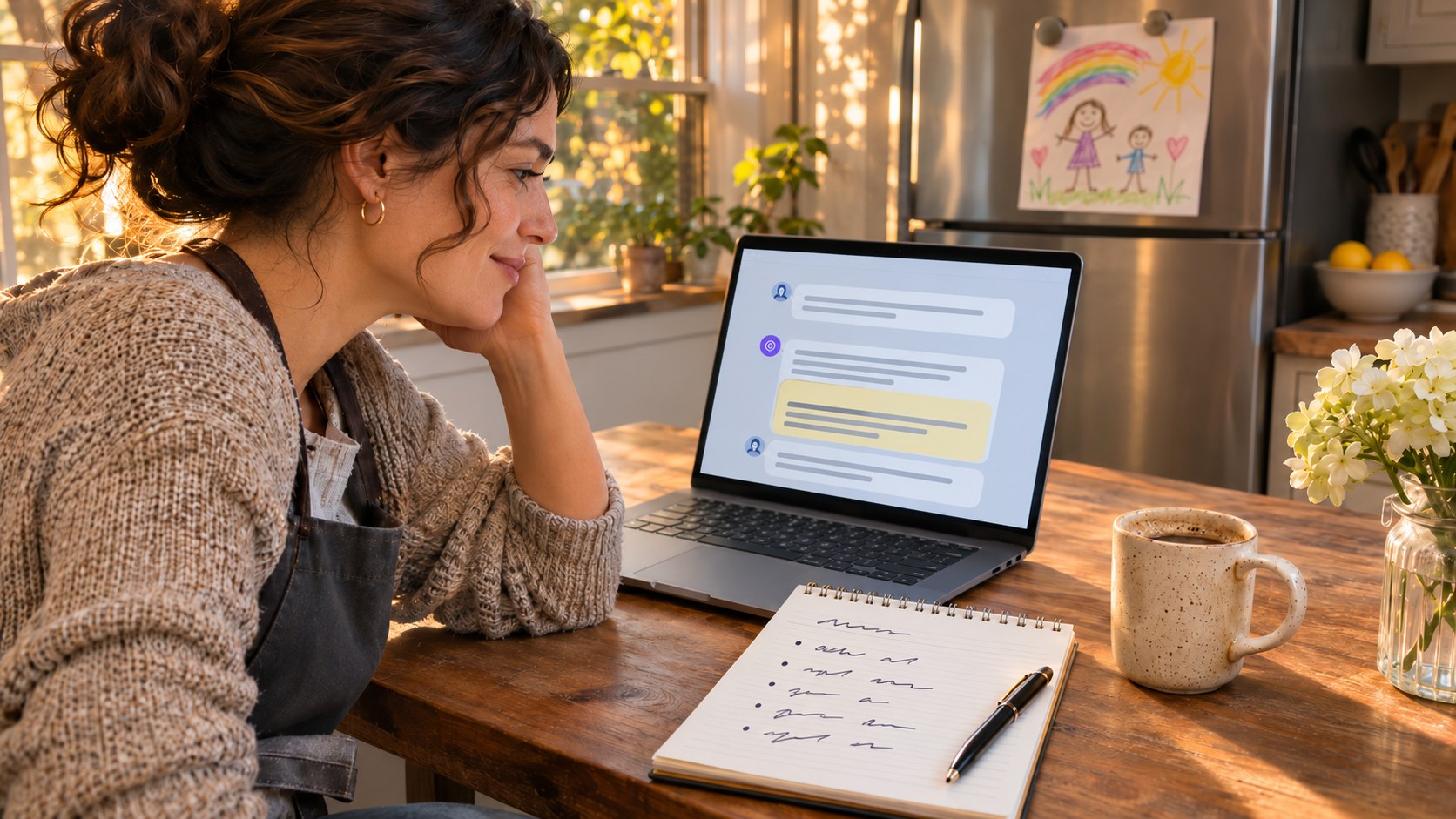
A customer used to type three words into Google. "Plumber near me."
Now a lot of them type a whole paragraph. They ask Google's AI Mode a question, read the answer, and then ask a follow-up. And another one. It feels like a conversation, because it is one.
On October 28, Google said ads will now follow that conversation. Google announced "multiturn ads" in the U.S., which means a Sponsored ad can show up on a follow-up question as well as the first one. The same day, Google said it is bringing ads in AI Mode to ten more countries, including Canada and Australia.
So what do Google's new AI Mode ads mean for your small business? Here is the short answer. If you already run Google Search, Shopping, or Performance Max campaigns, your ads can already show up inside AI Mode and AI Overviews. You did not have to sign up. You also cannot turn it off by itself. Google treats AI Mode as part of Search.
That sounds scary. It does not have to be.
The question to ask now is "Do my ads say the right thing, to the right person, at a price I can live with?" The good news is that most of the controls that answer that question are still in your hands. You just have to use them on purpose.
Key Takeaways
- Google launched multiturn ads in the U.S. on October 28, 2026, so ads can now appear on follow-up questions inside AI Mode, labeled "Sponsored."
- Existing Search, Shopping, and Performance Max campaigns are automatically eligible for AI Mode and AI Overviews, and there is no separate opt-out from Search.
- You pay the same way you pay for regular Search ads, with no extra charge for the AI placement, and results are mixed into your normal reports.
- Google can now add AI-written review summaries to your Search ads, and you cannot edit the wording, which makes your reviews part of your ad copy.
- Run the Time, Money, Energy test before you spend another dollar: check your search terms, set your negative keywords, and fix your reviews first.
Your Ads Changed This Week, and Nobody Asked You
Here is the part that bugs a lot of small business owners. Nothing in your account looked different on October 28. No new button. No new budget line. No email asking for permission.
Google's own help page is clear about it. Existing Search, Shopping, and Performance Max campaigns "are automatically eligible to serve ads within AI Overviews and AI Mode." And when it comes to opting out, the answer on that page is "No." You cannot show ads only in AI Mode, and you cannot keep them out of AI Mode while staying in regular Search.
If you run a small business, Google Ads is one tab among twenty. You set up a campaign once, it brought in some calls, and you mostly left it alone. That is normal. It is also exactly how money leaks.
I spent 16 years in manufacturing and supply chain. The problems that cost the most were rarely the big, loud breakdowns. They were small changes upstream that nobody downstream noticed. A supplier swapped a part. A setting moved. Everything looked fine on the surface while the waste quietly piled up.
An ad that moves into a new place without you touching anything is that kind of change. It might now show up halfway through somebody's conversation with an AI, next to an answer you did not write. Maybe that is great for you. Maybe it is burning budget on people who were never going to buy. You will only know if you look.
There is a second change that matters just as much. Google can now add AI-powered review summaries to Search ads. Google's help page says these summaries are "positive only," pulled from your online reviews, and that "advertisers cannot directly edit or customize the generated text." Google shows them "when it's predicted to improve ad performance." The page lists the U.S., Australia, the U.K., and India, in English.
So Google is now writing part of your ad, from your customers' words, without asking you first. Let's look at what the numbers say.
The Numbers Say Search Is Turning Into a Conversation
Here is the research that matters for a small business owner deciding what to do next.
People ask longer questions in AI Mode. In its October 28 announcement, Google said that in AI Mode, "queries are, on average, three times longer than traditional searches." That comes from Google's own AI Mode report for the U.S. from May 2026. A longer question tells you more about what someone wants. It also gives Google more room to decide your ad fits, even when it does not.
Fewer people click when AI answers first. Pew Research Center studied the real browsing of 900 U.S. adults in March 2025, covering 68,879 Google searches. When a Google AI summary showed up, people clicked on a regular search result in 8 percent of visits. When no AI summary showed up, they clicked nearly twice as often, in 15 percent of visits. Only 1 percent of visits included a click on a link inside the AI summary itself. And people ended their browsing session on 26 percent of pages with an AI summary, compared with 16 percent of pages without one.
When the AI answers the question, a lot of people stop there. That is why Google wants ads inside the answer.
Your customers already ask AI for recommendations. BrightLocal's Local Consumer Review Survey 2026 surveyed 1,002 U.S. consumers. It found that use of ChatGPT and other generative AI tools for local recommendations jumped from 6 percent last year to 45 percent. The same survey found that 82 percent of consumers read AI-generated review summaries, and 23 percent are willing to rely on those summaries alone to make a decision.
Almost one in four people say a summary of your reviews is enough to decide. They may never visit your website.
Reviews still drive the choice. BrightLocal also found that 97 percent of consumers read reviews online, and 41 percent "always" read reviews when browsing for businesses, up from 29 percent the year before.
Clicks are not cheap. WordStream by LocaliQ studied 13,474 U.S. search ad campaigns from April 2025 through March 2026 for its 2026 Google Ads Benchmarks. The average cost per click was $5.42. The average conversion rate was 8.18 percent. The average cost per lead was $66.69. WordStream notes these "averages" are technically medians, which keeps a few giant accounts from skewing them.
Put it together. Searches are getting longer. Fewer people click through to websites. More people let an AI summary decide for them. And Google now writes some of that summary from your reviews and puts it right in your ad, at $5 or more a click. "Pick some keywords and write a good headline" is getting thinner every month.
Your Reviews Are Now Part of Your Ad Copy
Here is the reframe I want you to take with you.
For years, small business owners treated ads and reviews as two different jobs. Ads were marketing. Reviews were customer service. That wall just came down.
When Google writes a review summary into your Search ad, your customers' words become your sales pitch. When someone asks AI Mode a follow-up question and your ad shows up mid-conversation, the AI answer around it shapes how your ad reads. You do not write either one directly.
On a factory floor, we had a simple rule. Quality gets built in at each step, upstream, where the part is made. By the time a bad part reaches final inspection, the cost is already spent.
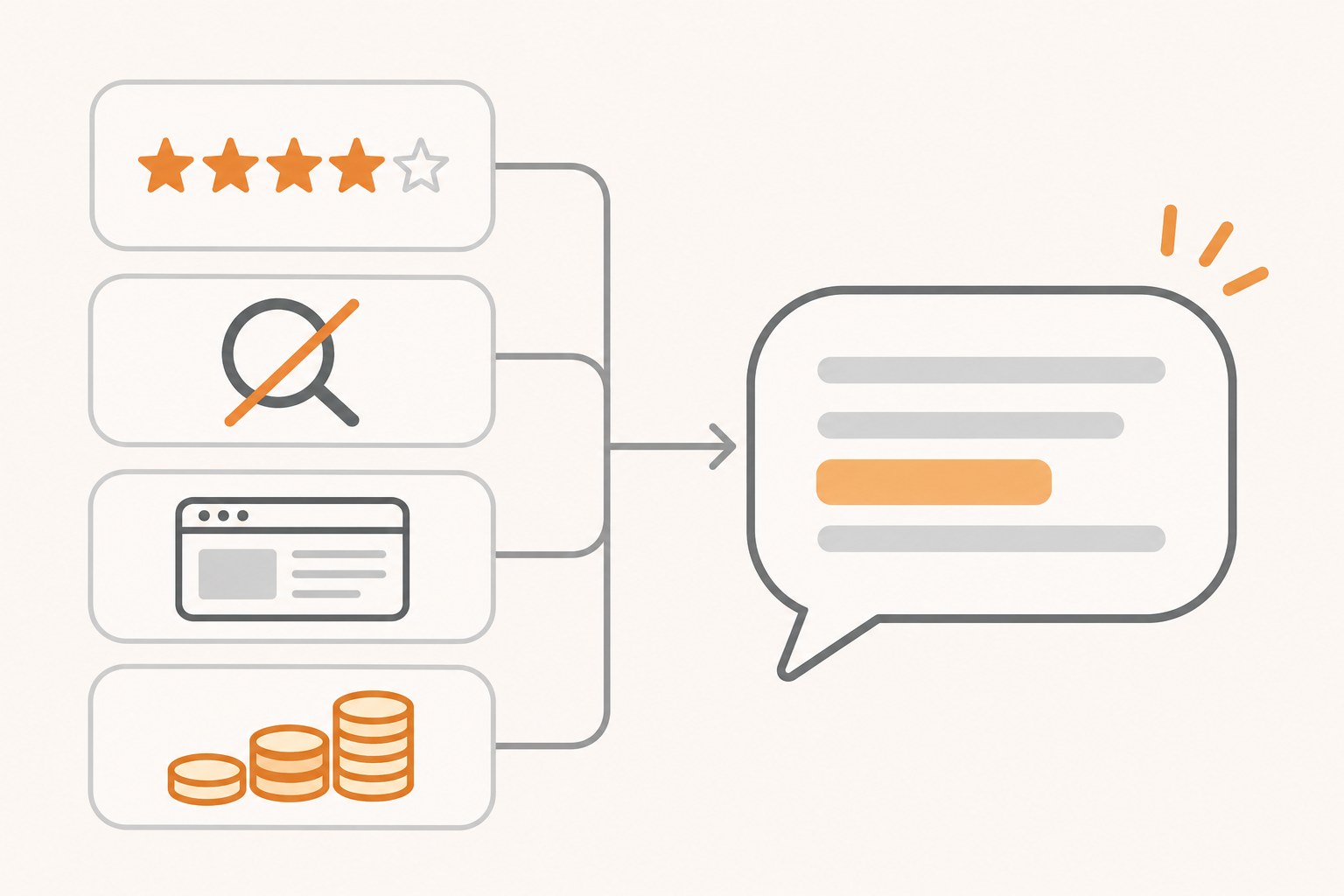
AI ads work the same way. You cannot fix a weak ad by tweaking the headline at the last minute. The parts that matter now are upstream:
- Your reviews, because Google can turn them into ad copy.
- Your search terms and negative keywords, because they decide which conversations you pay to join.
- Your landing page, because the person who clicks after a long AI conversation already knows a lot and wants a clear next step.
- Your budget limits, because a new placement should never get to grow your spend without your yes.
I call this "Own the Inputs." Google owns more of the output now: where your ad shows, what the summary says, what AI answer sits next to it. You own the inputs. Put your energy there.
Can ChatGPT Make Your Small Business Product Photos and Holiday Graphics Now? explains how the product photos and graphics you use affect how your products show up and sell in AI answers and Shopping results.
How I Run the Money Test on Anything That Bills Me Every Month
I have no secret AI Mode trick. What I have is a habit from my supply chain years that I use on every system in my business and my home: if it costs money every month, it gets checked against what it gives back.
That habit is how my family dropped a $50 a month subscription for a family calendar service. My Digital Wall Calendar replaced it, and it ended the nightly "what does tomorrow look like" conversation in our house. It started with one plain question: is this monthly bill still earning its keep?
Google Ads deserves the same question, especially now. Your spend can reach a brand new placement without a single change on your end.
The same habit runs my business. I run Matchless Marketing with a workforce of AI agents. Each one has a written job description. The rule that matters most: nothing sends, posts, buys, or spends without my yes. This article came out of one of those workflows. An agent researched and drafted. I get the final word.
That rule fits AI ads. Let Google's systems do the matching. You set the limits, and you review the results on a schedule. If you have been wondering how much to trust AI with decisions in your business, I wrote about that in is your AI assistant quietly making your business decisions for you.
Here is the Time, Money, Energy test, applied to Google's AI Mode ads.
Time. Google says advertisers "don't need to create new campaigns or set up separate budgets," so setup time is zero. Checking time is not. Plan on 20 minutes a week for the first month.
Money. Google says you are not charged extra for the AI placement. But at an average of $5.42 a click, a placement that brings in curious browsers instead of buyers costs real money fast. Watch your cost per lead. If it climbs above what a customer is worth to you, act.
Energy. If your reviews are strong and recent, the AI summary works for you with no extra effort. If they are thin or old, you will spend energy wondering what Google is saying about you. Fix the reviews and that worry goes away.
Here is a quick example to make it concrete. This is a made-up business, not a client story.
Picture a mom who runs a dog grooming business out of a converted garage. She spends about $600 a month on Google Search ads with broad match keywords. After the AI Mode change, she opens her search terms report and finds long, chatty questions like "how often should I groom a doodle at home." Those people want to do it themselves. She adds "at home," "DIY," and "how to" as negative keywords. She also asks her ten happiest regulars for a fresh review. Her budget stays the same, and fewer of her dollars go to people who were never going to book.
That is the whole game. Own the inputs.
If you are also worried about AI bills creeping up in other tools, my post on how to keep AI usage charges from surprising your small business walks through the same kind of guardrails.
Who Should Spend More, and Who Should Hold Steady
Not every business should react the same way.
Lean in if you sell something people research before buying, like home services, coaching, or a product that needs explaining. Long AI Mode questions fit that buyer well. Google says broad match, AI Max for Search, Shopping, and Performance Max are eligible for what it calls "contextual matching," using both the question and the AI response. Those campaign types can reach people mid-conversation.
Hold steady if your business wins on fast, simple, ready-to-buy searches, like "emergency locksmith" or "pizza delivery." Google says exact match and phrase match keywords are eligible in AI Mode only when "a user's query expresses direct commercial intent." That keeps them closer to buyers. If that is your setup, you may see less change, and that is fine.
Pause and fix first if your reviews are thin, old, or mixed. Put your effort into reviews before you put more money into ads.
Your website content is the other half of AI search, and you get to decide how AI companies use it. I covered that in should your small business block AI from training on your website.
7 Steps to Get Your Google Ads Ready for AI Mode This Week
You can do all seven of these inside your Google Ads account and your Google Business Profile. No new tools needed.
- Open your search terms report and read it. In Google Ads, go to your campaign and open the search terms report. Google says AI Mode results are included there "in aggregate." Look for long, question-style searches. Copy any that are clearly not buyers into a notes doc.
- Add negative keywords for the wrong conversations. Google says negative keywords still apply to AI placements. Add words that signal a do-it-yourself or research-only person, like "free," "DIY," "how to," or "at home," if they fit your business. Five good negatives can save more than one new headline.
- Check your match types. Write down which keywords are broad match and which are exact or phrase match. Broad match can reach people mid-conversation in AI Mode. Exact and phrase match only reach AI Mode when the search is clearly about buying. Decide which one fits each service you sell.
- Set a hard daily budget and a cost per lead alarm. Pick the most you are willing to pay for a lead. Use the $66.69 benchmark only as a reference point, then compare it with what one new customer is actually worth to you. Set an automated rule or a calendar reminder to check it every Monday.
- Ask for five fresh reviews this week. Text your five happiest recent customers a direct link to your Google review page. Ask them to mention the specific service they got. Specific, recent reviews give an AI summary something real to work with.
- Read your reviews the way Google's AI will. Open your last 20 reviews. Ask your AI tool: "Summarize the top three things customers praise in these reviews." If the summary is not what you want to be known for, that tells you what to fix in your service first.
- Make your landing page answer the follow-up questions. Look at the long questions in your search terms report. Make sure your landing page answers the top three in plain words, near the top, with a clear way to call or book. Someone who just had a five-question conversation with AI is ready for a straight answer.
Frequently Asked Questions
What are multiturn ads in Google AI Mode?
Multiturn ads are Google ads that can appear on follow-up questions inside AI Mode, not only on the first search. Google launched them in the U.S. on October 28, 2026. They are labeled "Sponsored." If someone keeps asking AI Mode questions, your ad can show up later in that same conversation when Google decides it fits.
Can I opt out of Google AI Mode ads?
No, not by themselves. Google's help page says you cannot opt out of showing ads in AI Overviews or AI Mode separately from Search. If your Search, Shopping, or Performance Max campaigns are running, they are eligible. Your existing controls, like negative keywords and budgets, still apply, so use those to steer where your money goes.
Do Google AI Mode ads cost more than regular search ads?
No. Google says ads in AI Overviews and AI Mode use the same auction and the same cost-per-click or conversion-based bidding as standard Search ads, with no extra charge to take part. The real cost risk comes from paying for clicks from people who are researching, not buying. Watch your cost per lead weekly.
Can I edit the AI review summary Google adds to my ads?
No. Google says advertisers cannot edit or customize the review summary text, because it represents customer feedback. The summaries are positive only and appear when Google predicts they will improve ad performance. The best way to shape what they say is to earn more recent, specific reviews about the services you most want to sell.
Do I need to create a new campaign for AI Mode ads?
No. Google says you do not need new campaigns or separate budgets to show ads in AI Overviews or AI Mode. Existing Search, Shopping, and Performance Max campaigns are already eligible. Your job is to review search terms, tighten negative keywords, check match types, and set cost limits so the new placement works for you.
Own the Inputs
Remember that customer typing a whole paragraph into Google?
They are not going back to three words. Search is turning into a conversation, and Google just gave ads a seat in it. You did not get a vote on that. Neither did I.
But here is what you do get. You decide which conversations you pay to join. You decide how much a lead is worth. You decide whether your customers have something fresh and true to say about you. Google's AI can write the summary. You still create what it summarizes.
So this week, open the search terms report. Add the negatives. Ask for the reviews. Set the alarm on your cost per lead. Then ask the only question that matters about any system that bills you every month. Is it giving you back Time, Money, or Energy?
If it is, keep going and spend with confidence.
If it is not, you now know exactly where to look.
Let the machine pick the moment. You own what it says about you. That is A Better Way.
Banks are now offering free AI tools too, so run the same check there: Should Your Small Business Use the Free AI Tools Your Bank Is Offering?
Keep Learning
- Should Your Small Business Block AI From Training on Your Website? The other half of AI search: how to decide what AI companies can learn from your site.
- How Do You Keep AI Usage Charges From Surprising Your Small Business? Simple guardrails so AI tools never grow your bill without your yes.
- Is Your AI Assistant Quietly Making Your Business Decisions for You? Where to let AI help and where to keep the final call.
- Should You Let AI Chase Your Unpaid Invoices and Close Your Books? Another place where clear rules make AI safe to hand work to.
About the Author
Warren Schuitema is an AI Systems Consultant with Matchless Marketing and Matchless AI. He spent 16 years in manufacturing and supply chain, where he learned that quality gets built in upstream, long before anything reaches final inspection. He brings that habit to every system he builds. At home, his Digital Wall Calendar replaced a $50 a month subscription and his Weekly Meal Planner replaced HelloFresh. At work, he runs his business day to day with a workforce of AI agents that draft and research, and nothing goes out without his yes. He helps small business owners and parent entrepreneurs build practical AI systems that give back Time, Money, or Energy, and he is a partner in the Goal Achievers Summit.