On November 17, Google made Tasks in Gemini free for hundreds of millions of people. One of the things it can do is pick up the phone and call your business for a customer. Here is how to get ready, what to say, and where I would draw the line.
By Warren Schuitema, AI Systems Consultant, Matchless Marketing / Matchless AI
Last Updated: November 2026

Picture your phone ringing on a Tuesday afternoon.
You grab it between a client and school pickup. A calm voice says it is an AI assistant calling for a customer. Do you have an opening Thursday morning?
A month ago that sounded like science fiction. This week Google made it normal.
So what should your small business do when Gemini calls to book? Answer it. Treat it like a real customer, because there is a real customer behind it. Then put three things in place this week: make sure your hours, prices, and booking rules are correct everywhere online, give whoever answers your phone a short script for AI callers, and decide on purpose whether you want these calls at all. Google says businesses can opt out. Most should not, but you should choose.
I spent 16 years in manufacturing and supply chain. On a loading dock, every truck that pulls in gets the same receiving check, no matter who is driving. An AI caller is just a new kind of truck at your dock. You do not need to panic. You need a receiving process.
Let's walk through what Google launched, what the numbers say, and how to turn these calls into booked work.
Key Takeaways
- On November 17, 2026, Google made Tasks in Gemini free in the US, Japan, Korea, Canada, Australia, and India. Tasks can call businesses, book appointments, and shop for people.
- Google says Gemini can call more than one business at once. In Google's own example, it called two car dealerships to book a service visit and told the dealership right away that it was an AI.
- Businesses can opt out. Google's Business Profile settings include a switch for automated calls about bookings and inquiries from customers.
- Shoppers still want control. In a YouGov poll commissioned by Pinterest, 92% of Americans said they want to make the final decision on what they buy.
- The safest setup for your side of the phone: answer, confirm, and write it down, with a human checking anything unusual.
Google Just Gave Every Customer a Free Assistant That Makes Phone Calls
Here is what Google announced on November 17.
Josh Woodward, who leads Labs and the Gemini app at Google, wrote that Tasks in Gemini is now free for "hundreds of millions of people across the U.S., Japan, Korea, Canada, Australia, and India." Tasks is the part of Gemini that does things for you instead of just answering questions. It can schedule appointments, manage bills, and shop.
And it can make phone calls.
Google's example was a car service visit. Gemini "called both dealerships at once," found a time that worked, and checked it against the person's calendar. Google also wrote this line: "On the dealership's end, Gemini disclosed right away that it's an AI."
WinBuzzer, a tech news site, reported on November 19 that eligible US users can ask Gemini to call businesses "for price quotes, stock checks or appointments." It also reported that users can review and approve the plan before Gemini dials.
Calling is not available everywhere yet. Google's post says calling through Gemini is not available in Indiana, Louisiana, Minnesota, Montana, and Nebraska.
Gemini guards the customer's private details. Google says it won't hand out payment or private account information unless the person tells it to. So if your booking process needs a card number over the phone, expect a pause or a callback.
Payments get a confirmation step. Google says Gemini is designed to ask for the person's OK before it clicks "Buy," and to check in before critical steps.
And Google admits it is not perfect. The post says, "While we've tested tasks extensively to minimize mistakes, we haven't eliminated all of them."
I appreciate that. Some of these calls will go sideways. Your job is to make sure your side of the call doesn't.
Most Owners Already Use AI, But Few Have Planned for AI Calling Them
Why does this matter right now? Because the holidays are here, and owners are already stretched.
Verizon Business released a survey on November 19. RepData fielded it online from October 30 to November 9, 2026, with 600 US small business owners and decision-makers.
34% of owners said they have pulled an all-nighter to keep the business running. One in three said they have missed or worked through a holiday, family meal, or planned day off. 43% said they are stressed about balancing work and family.
When I read those numbers, I see the parent entrepreneurs I talk to every week.
The same survey found 45% of owners plan to use AI tools to make holiday operations easier. And 84% said they would welcome relief from at least one business responsibility during the holidays. Administrative work topped that list at 30%.
Bank of America's 2026 Business Owner Report tells a similar story. Ipsos surveyed 849 small business owners and 250 medium-sized business owners in August 2026. 84% said they use AI in some capacity. But only 31% of those AI users said they use it for customer service.
So most of us use AI to write things. Far fewer of us have thought about AI as a customer. That gap is where Gemini's phone calls land.
Your Customers Still Want the Final Say
Here is the part I find encouraging.
Pinterest commissioned YouGov to poll more than 1,000 US adults, and released the results on November 12. 92% said they want to make the final decision on what they buy, with or without AI's help. Only 11% said they would be happy to let an AI assistant handle all of their shopping.
But 39% want AI involved in at least one step.
Read together, the picture is clear. People want AI to do the legwork: calling around, checking openings, asking prices. They want to make the choice themselves.
That shapes how you should treat these calls.
The AI on the line is a scout. It is gathering options and bringing them back to a real person. That person will pick. If your answers are clear, correct, and easy to act on, you make the short list. If your answers are fuzzy, the scout moves on to the next number.
So the AI caller does the shopping-around step faster than any human could, and then hands the choice back to the customer. The question is whether your business comes out of that step looking easy to say yes to.
The Receiving Dock Rule: Every Caller Gets the Same Check
This is where my years in supply chain come in.
In a plant, the receiving dock runs on standard work. A truck pulls up. Somebody checks the paperwork, counts what came off, and logs it in the system. It does not matter if the driver is a 30-year veteran or on his first day. The check is the same. That is how you stop bad parts from sneaking onto the line.
What I learned the hard way: most of the problems I chased started on the dock itself. A missing checklist. A new person who did not know the steps. A receipt that never got logged, so the order looked missing for a week.
Your phone is your receiving dock.
Most small businesses answer it on instinct. Whoever picks up just wings it. That works fine with human callers, because humans fill in gaps. They ask follow-up questions. They forgive a "let me check and call you back."
An AI caller is less patient with gaps. It has a job: get a time, a price, or a yes or no, and report back. If your answer is vague, it reports back vague.
So here is my reframe. Getting ready for AI callers is a receiving process, and you already know how to run one. Write down the same check for every caller, human or AI, and your phone gets better for everyone.
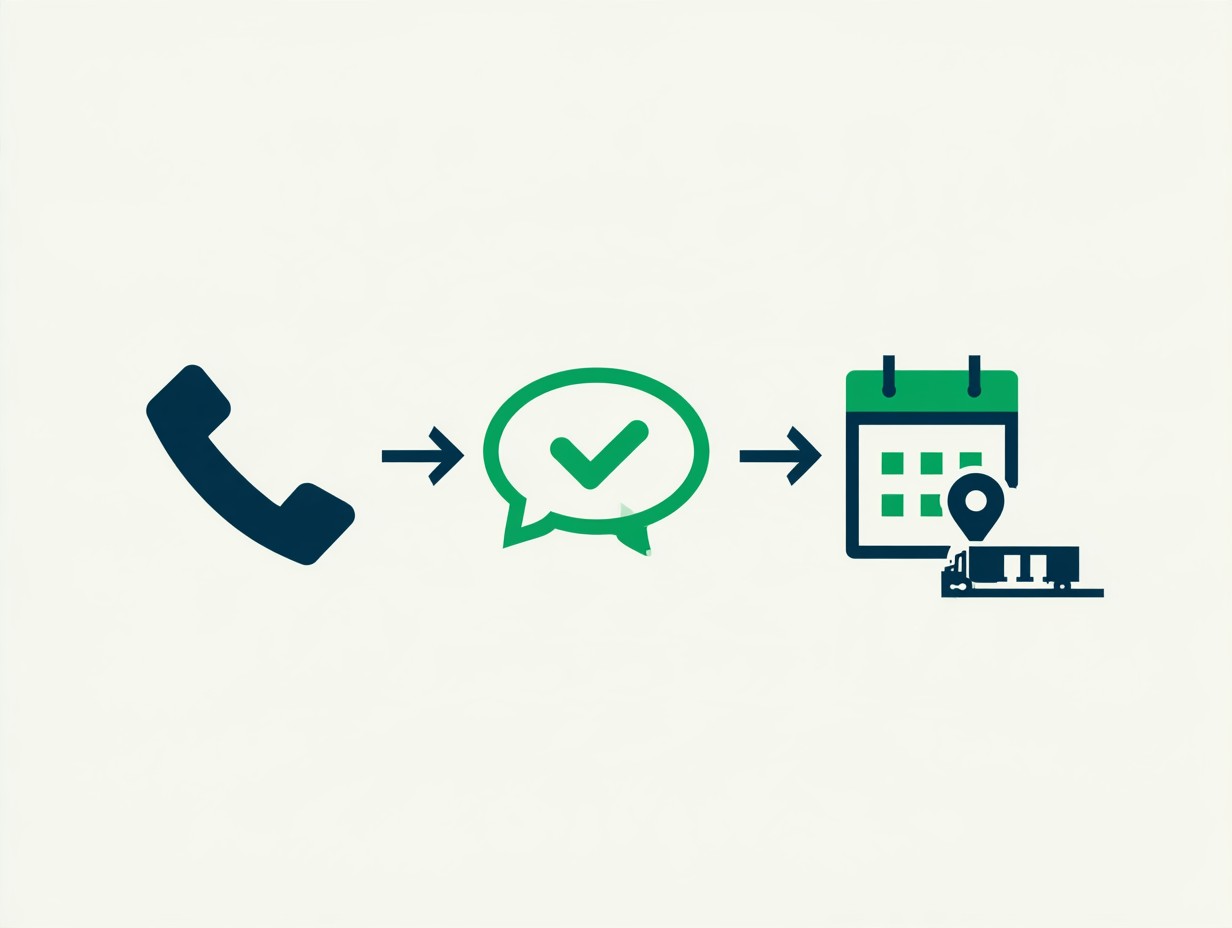
I call it Answer, Confirm, Capture.
- Answer. Pick up like it is a customer, because it is. Ask who the appointment is for and the best way to reach them directly.
- Confirm. Repeat the key details out loud. Day, time, service, price, and anything they need to bring or know.
- Capture. Log it right away in the one place your bookings live, with a note that it came from an AI assistant. If anything feels off, a human calls the customer back.
The middle step is the one that saves you. If the AI heard "Thursday" and you said "Tuesday," the confirm step catches it while you are still on the phone.
How I Run My Own Business With AI on Both Ends
I live this every day. I run my business with a team of AI agents.
They handle intake, draft my emails, and pull together a morning brief while I am getting my girls ready for school.
Two rules make that safe, and both apply to Gemini calls.
First, nothing commits without a human word. My agents draft. I approve. Nothing sends, books, bills, or spends until I say so. Google built Gemini the same way on the customer's side. It is designed to stop and ask before it buys. Your side should match. If an AI caller asks you to do something you would not do for a stranger on the phone, like skip a deposit or share another customer's details, the answer is a polite no and a human callback.
Second, the rules are written down. My agents work from written instructions. When something goes wrong, I fix the instructions so the same mistake can't happen twice. That is the same thing a receiving checklist does on a dock. It is the same thing a phone script does for your front desk.
The Digital Wall Calendar in our kitchen taught me the third piece. It replaced a $50 a month subscription and ended the nightly "who is driving who where tomorrow" conversation. But it only works because every plan lands in one place where everyone can see it. A plan that lives in one person's head does not count.
Bookings work the same way. If Gemini books a slot with your helper, and that slot only lives on a sticky note, you just created a no-show. Capture is the step that makes the whole thing real.
So I look at Gemini calling through my usual test. Does it give back Time, Money, or Energy?
For the customer, clearly yes. For you, it depends on your dock. With a clean receiving process, these calls cost you nothing extra and bring in bookings you might have missed. Without one, they add confusion to an already packed week.
Here Is What One AI Call Could Look Like
Let me give you a made-up example so you can picture it. This is not a client story. It is just an illustration.
Say you run a mobile dog grooming business out of your van. Your phone rings while you are mid-bath with a nervous golden retriever.
You let it go to voicemail. If the caller is a human, they might leave a message. If it is Gemini, it has probably already called two other groomers at the same time. One of them picked up.
Now picture the same call with Answer, Confirm, Capture in place.
Your teen helper answers. She hears that it is an AI assistant calling for a customer. She does not hang up. She asks the dog's breed and size and the customer's callback number. She offers two open times from the shared calendar. She repeats the choice back: "Saturday at 10, full groom for a large dog, starting at your posted price." She logs it with a note: "Booked via AI assistant." That evening, you text the customer to confirm.
Two minutes of standard work. One booking kept.
Seven Steps to Get Your Business Ready for AI Callers
Here is how I would set this up. Most owners can do the first four steps in one afternoon.
- Fix your Google Business Profile first. Check your hours, holiday hours, phone number, services, and prices. AI tools pull from what is published. If your profile says you close at 6 and you really close at 5, an AI will book a 5:30 that you cannot keep.
- Make your booking rules easy to say out loud. Write down your deposit policy, cancellation rule, service area, and lead time in one or two short sentences each. If you cannot say it in one breath, an AI caller will garble it.
- Write a 5-line phone script for AI callers. Who is the booking for. What is the best direct number to reach them. Which service. Which time. Repeat it back. Tape it next to the phone or pin it in the shared notes app.
- Keep one home for every booking. One calendar or one booking app. Every booking gets logged there before the call ends, with a note when it came from an AI assistant. This is the Capture step, and it is the one that prevents no-shows.
- Set a callback rule for anything unusual. Big orders. Custom quotes. Requests to skip a deposit. Anything involving another customer's details. The answer is, "I'll call the customer directly to confirm." A human handles it, every time.
- Decide on purpose whether to opt out. Google's Business Profile help page lists a setting under Advanced settings called "Google automated calls and text messages," with a switch for bookings and inquiries from customers. You can also say, "Please stop calling my business," on the call itself. If you only take bookings online, or your phone line is a personal cell you share with family, opting out may be the right call for you. Make the choice instead of letting it happen to you.
- Check the results after 30 days. Count how many calls said they were from an AI assistant, how many turned into bookings, and how many no-showed. If they are helping, keep going. If they are clogging your phone during your busiest hours, change your hours on the profile or turn the setting off.
Start with step one tonight. It takes fifteen minutes, and every other step depends on it.
Frequently Asked Questions
Can Google Gemini call my business for a customer?
Yes. On November 17, 2026, Google made Tasks in Gemini free in the US, Japan, Korea, Canada, Australia, and India. Tasks can call businesses to book appointments, ask about prices, or check stock. Google says calling through Gemini is not available in Indiana, Louisiana, Minnesota, Montana, or Nebraska yet.
Will I know when the caller is an AI?
In Google's own example, Gemini told the dealership right away that it was an AI. Tech coverage also reports that businesses hear an AI is on the line. Still, train whoever answers your phone to ask, "Is this an assistant calling for someone?" and to collect the customer's direct callback number.
How do I stop Gemini from calling my business?
Google says businesses can opt out whenever they want. Google's Business Profile help page lists an Advanced settings section called "Google automated calls and text messages," with a switch for bookings and inquiries from customers. You can also ask on the call to have your business removed from the list.
Should a small business accept bookings from an AI caller?
For most businesses, yes. There is a real customer behind the call who asked for help. Treat it like any booking: repeat the details back, log it in one place, and note it came from an AI assistant. Call the customer directly to confirm anything unusual, like a large order or a deposit change.
What is the Answer, Confirm, Capture method?
Answer, Confirm, Capture is a simple phone routine for AI callers. Answer like it is a real customer and get their direct number. Confirm the day, time, service, and price out loud. Capture the booking in your one calendar right away, with a note that an AI assistant made it.
A Better Way to Answer the Phone
Go back to that Tuesday afternoon call.
You are between a client and school pickup. The phone rings. A calm voice says it is an AI assistant calling for a customer.
Now picture it with your dock in order. Your profile shows the right hours. Your helper has the script. She answers, confirms, and logs it in the shared calendar before she hangs up. You get a note. You text the customer that night. Saturday at 10 is booked.
Nobody scrambled. Nobody lost a customer to a phone that rang mid-bath.
That is what I want from AI on either end of the line. A customer who gets an answer fast. An owner who does not have to be the answer every single time.
The tools will keep changing. The receiving dock rule does not. Same check for every caller. Write it down. Log it in one place.
And keep asking the question that matters. Does this give me back Time, Money, or Energy?
If your phone starts booking work while you are busy doing the work, and you get your family dinner back while you are at it, that is all three.
That is A Better Way.
When an AI assistant calls to book, it is acting on what it found about your business, and reviews are a big part of that picture. For more on why that matters, see Do Online Reviews Still Matter When Customers Shop With AI?
Keep Learning
- Should You Let ChatGPT Handle Your Small Business Sales Follow-Up? How to use AI for follow-up without handing over your name.
- Why Does Your AI Agent Forget Your Rules Halfway Through a Long Job? Why your rules need to be written down, not just assumed.
- Your AI Agent Broke Something. Here's How to Know Before Your Client Does Simple ways to catch a problem with your AI setup early.
- Is Relying on a Single AI Tool a Risk for Your Business? What to think about before you run everything through one platform.
About the Author
Warren Schuitema is an AI Systems Consultant with Matchless Marketing and Matchless AI. Before AI, he spent 16 years in manufacturing and supply chain, where every truck at the receiving dock got the same check. Today he runs his own business with a team of AI agents built on two rules: nothing commits without his word, and every rule is written down. He builds practical AI systems for small business owners and parent entrepreneurs, from a Weekly Meal Planner that replaced HelloFresh to a Digital Wall Calendar that replaced a $50 a month subscription. His test for every system is simple. Does it give back Time, Money, or Energy? Learn more at matchless-marketing.com.