OpenAI just opened a door for businesses inside ChatGPT. You can claim a verified profile, see how often ChatGPT mentions you, and, if you sell online in the U.S., launch an AI agent that answers shoppers' questions. Here is what it does, what it can't do yet, and how to set it up so it tells the truth about your business.
By Warren Schuitema, AI Systems Consultant, Matchless Marketing / Matchless AI
Published: November 12, 2026 | Last Updated: November 2026

Somebody is asking ChatGPT about your business right now.
Maybe they want to know if you ship to Canada. Maybe they typed "small shop that sells homeschool planners" and hoped for a good answer.
ChatGPT answered them. You weren't in the room. And until this week, you had no way to know what it said or to hand it the right facts.
So should you claim your business profile in ChatGPT? For most small businesses with a website, yes. Claim it this month, before the holiday rush. On November 10, 2026, OpenAI launched Businesses in ChatGPT in beta. It lets you claim a verified profile, keep your details current, and see basic numbers on how often ChatGPT mentions you. If you run an online store or online service in the U.S., you can also turn on a Business Agent that answers shoppers' questions for you.
But go in with your eyes open. The agent only knows what you give it. If your facts are scattered across five places, it will repeat the mess, politely, to every shopper who asks. Claim the profile first. Clean up your facts second. Turn on the agent third, and only after you've tested it yourself.
Key Takeaways
- OpenAI launched Businesses in ChatGPT in beta on November 10, 2026. It has three parts: a Business Hub to claim and manage your profile, Insights on mentions and clicks, and Business Agents that answer shopper questions.
- Business Agents are open first to eligible U.S. ecommerce and online service businesses. For now, they send buyers to your own website to finish the purchase.
- Shoppers are already asking AI: BrightLocal found use of ChatGPT and other AI tools for local recommendations jumped from 6% to 45% in a year.
- Adobe expects AI-driven traffic to U.S. retail sites to grow 130% this holiday season compared with last year.
- My rule: your agent can only be as honest as your fact sheet. Write one page of true facts before you turn anything on.
OpenAI Just Gave Businesses a Front Desk Inside ChatGPT
Here is what launched, based on OpenAI's announcement as reported by The Next Web and a detailed breakdown from the agency Relevant Audience. (OpenAI's own page would not load for me during research, so I'm working from those two reports.)
Business Hub. This is where you claim your business. Verified businesses get a blue check. Once you're in, you can update your details and add product feeds with prices and what's in stock. Relevant Audience reports there are three ways in: claim it directly, go through an OpenAI rep if you're a big advertiser, or connect from Shopify if that's where your store lives. You don't need Shopify to claim.
How verification works. Relevant Audience, citing Search Engine Roundtable, reports two routes. A text or phone call to your main business number, or a DNS check on your website's domain. OpenAI's landing page says claiming starts with businesses that have a website.
Insights. This is your scoreboard. You can see how often ChatGPT mentions you, how many people click through to your website, and the general topics in those conversations. Two details matter here. First, the numbers are grouped and only show once enough people are involved, for privacy. Second, OpenAI's help text says the click numbers "don't confirm website visits or conversions." Count your sales on your own site.
Business Agents. This is the big one. If you're an eligible U.S. ecommerce or online service business, you can launch an agent that represents you inside ChatGPT. When your business shows up in an answer, a shopper can open your profile and chat with your agent. That chat is labeled and kept separate from ChatGPT's own answers.
What the agent knows comes from you. Relevant Audience reports it's built only from the instructions and product feed you provide. You can't plug in your own outside agent.
What it can't do yet. The agent doesn't close the sale. For now, buyers get sent to your own website to finish. The Next Web reports OpenAI is working with Visa on agent payments, so that may change.
The rules OpenAI set. Your agent has to say it's AI. It can't invent prices, stock levels, reviews, or results. It can't use fake urgency. And it can't give licensed professional advice. Buying something or sharing personal data needs the shopper's clear OK.
Ads and cost. You can pay to make your agent the landing spot for a labeled ChatGPT ad. Digiday, as quoted by The Next Web, reports that paying "does not change how often ChatGPT recommends a business." Digiday also reports the Hub and agents are free for now, and OpenAI didn't rule out charging later.
Privacy and reach. OpenAI says it doesn't share users' chats with businesses. You see totals and topics. The conversations stay private. Claiming is open to eligible businesses where ChatGPT is available. Agents start in the U.S. only, with no timeline shared for other countries.
Your Customers Already Ask AI Before They Ask You
Here's the part that made me pay attention.
OpenAI says 1.2 billion people use ChatGPT every week. That's a lot of questions. Some of them are about you, your competitors, or the problem you solve.
And the shift isn't slow.
Local shoppers moved fast. BrightLocal's 2026 Local Consumer Review Survey found that use of ChatGPT and other AI tools for local recommendations rose from 6% to 45% in one year. That makes AI the third most used source of business recommendations, behind only Facebook and Google.
A year ago, AI was barely on the list. Now it sits right behind the two places most of us spent years learning to show up.
Online shoppers moved too. Adobe tracks traffic to U.S. retail websites. In its 2026 holiday forecast, Adobe reported that traffic coming from AI tools grew 127% year over year in August. It expects that AI traffic to grow 130% this holiday season compared with last year, and 141% on Thanksgiving alone. Adobe also forecasts $275.1 billion in U.S. online holiday spending, up 6.7%.
One note on those numbers. Adobe's forecast reports growth rates. It doesn't give AI's share of total retail visits, and a big jump from a small base is still a small slice. What the numbers do say: AI is the channel growing fastest, right now, during your busiest season.
Put those together. More people ask AI for recommendations. More of them click from AI to a store. And now ChatGPT has a place for you to tell it the truth about your business.
Your Business Agent Is a New Hire You Haven't Trained Yet
This is my take, and it's the one idea I want you to keep.
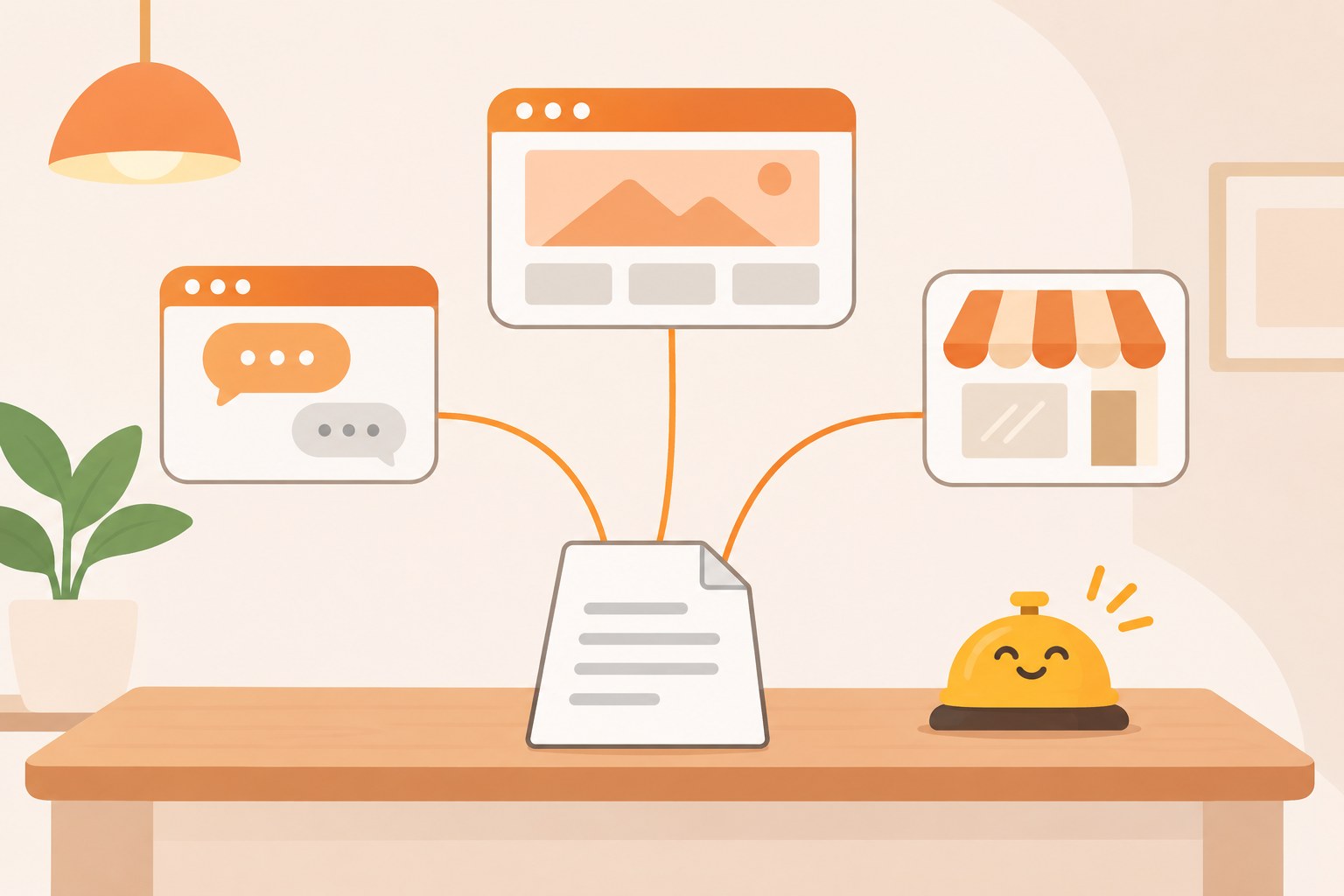
A Business Agent is a new employee who works the front desk 24 hours a day. It talks to every customer who walks up. It never gets tired. It never gets short with anyone.
And it knows exactly what you told it. Nothing more.
If you hand it last year's price list, it quotes last year's prices. If your shipping policy says one thing on your website and another in your FAQ, it picks one. If you never wrote down that the large size runs small, it will never warn anyone.
OpenAI's rules say the agent can't make up prices or stock levels. Good. That rule guards against made-up facts. Your own outdated facts are a different problem. A stale price in your product feed is still a real price you once set, so the agent will repeat it with full confidence to every shopper who asks.
I spent 16 years in manufacturing and supply chain. Everyone in that world learns one phrase fast: garbage in, garbage out. The fanciest planning system in the plant is worthless if the item records behind it are wrong. Old lead times. Bad part numbers. The system runs perfectly on bad data.
A Business Agent is that kind of system. Fast, polite, always on. Whether it's right depends on you.
So before you turn one on, write what I call a Front Desk Sheet. One page. The true, current facts a good front desk person would need on day one:
- What you sell. Your main products or services, in plain words, with current prices.
- What's true about buying. Shipping times, where you ship, return policy, payment options.
- What people always ask. Your top ten customer questions, with the answers you'd give.
- What the agent must never say. No delivery date promises. No discounts you didn't approve. No medical, legal, or tax advice.
- When to hand off. What questions should send the shopper to you, by email or your contact page.
That one page becomes the source for your ChatGPT profile, your agent's instructions, your website FAQ, and your Google profile. Change a fact in one place, then copy it everywhere from there.
My AI Workforce Only Knows What's Written Down
Here's why I'm so sure about this. I already run my business this way.
Matchless Marketing runs day to day on a workforce of AI agents. Each one has a name, one lane, and a written job description. One drafts content. One keeps the numbers. One handles admin. This article started in that system.
None of those agents "just knows" my business. Before any of them does any work, it reads the shared memory file. Then the decisions log. Then its own job description. That's where my prices, my voice, my rules, and my current projects live.
That's the deal with any agent built on files. When a fact changes, I change the file, and every agent picks it up on the next run. A ChatGPT Business Agent works the same way with your product feed and instructions. Keep the source right, and the agent stays right.
There's a second rule in my system that applies here too. My agents draft. I approve. Nothing sends, posts, invoices, buys, or spends without my word.
OpenAI built a version of that into Business Agents. The agent can answer questions, but the purchase happens on your own website, and buying or sharing personal data needs the shopper's clear OK. I like that line. It keeps the money step where you can see it.
The same thinking runs our house. Our Digital Wall Calendar replaced a $50 a month subscription. It also ended the nightly "what's happening tomorrow?" conversation. Why did that work? Because everyone in the family trusts one board. When the board is right, nobody has to ask. When there are three calendars, the questions never stop.
Your Front Desk Sheet is that board for your business. One source. Everyone, including ChatGPT, reads from it.
The Profile Is Worth Claiming Even If You Skip the Agent
You don't have to go all in on day one.
Claiming your profile and turning on a Business Agent are two separate decisions. I'd treat them that way.
Claim the profile if:
- You have a website and sell anything, online or local.
- Customers already mention finding you through ChatGPT, or you want to know if they do.
- You want a say in what details ChatGPT shows for your business.
Claiming is low risk. You give ChatGPT correct details and get a basic scoreboard back. OpenAI says claiming shouldn't change how often you appear, though better details may help you show up in more of the right conversations. Treat it like keeping your Google Business Profile current.
Wait on the agent if:
- Your prices, stock, or policies change often and you don't have a clean product feed.
- You sell anything where shoppers might ask for medical, legal, financial, or safety advice. The agent isn't allowed to give it, and you want to be sure it hands those questions to you.
- You're outside the U.S., or you're a local service business. Agents start with U.S. ecommerce and online service businesses only.
- You can't spare an hour a week through December to check what it's saying.
Go slow on paid placements. There's no public pricing yet, and Insights only counts clicks. If you test it, set a small cap and judge it on real orders.
Here's What This Could Look Like for a Small Online Shop
Here's a quick example to make it concrete. This is a made-up shop, not a client story.
Picture a dad who sells printable homeschool planners from his website. He runs it at night after the kids are in bed. It's mid-November, his busiest season, and the same five questions fill his inbox every day. Is this undated? Does it print on letter size? Can I get a refund on a digital download? Do you have a version for two kids? Is the bundle cheaper?
He claims his ChatGPT profile in ten minutes. Then he stops and writes his Front Desk Sheet before he touches the agent. He finds two problems right away. His website says "no refunds on digital items." His old FAQ page says "refunds within 14 days." He picks one rule, fixes both pages, and puts it on the sheet.
Then he turns on the agent and spends twenty minutes asking it the same five questions his customers ask. It gets four right. On the fifth, it mixes up two bundle prices. He fixes the product feed and asks again. Correct.
Every Monday through December, he opens Insights and asks the agent three of his customers' questions. Fifteen minutes.
Nothing fancy. His new front desk worker just got the right sheet before its first shift.
7 Steps to Claim Your ChatGPT Business Profile the Right Way
- Ask ChatGPT about yourself first. Before you claim anything, open ChatGPT and ask three questions a customer would ask about your business. Screenshot the answers. This is your starting point, and it shows you what's wrong today.
- Write your Front Desk Sheet. One page. What you sell with current prices, shipping and returns, your top ten customer questions with answers, what the agent must never say, and when to hand off to you. If two of your pages disagree, fix them now.
- Claim your profile in Business Hub. Go to ChatGPT's Business Hub and claim your business. Expect to verify through a call or text to your main business number, or through your website's domain settings. If you sell on Shopify, you can connect from your Shopify admin instead.
- Fill in your details from the sheet. Copy your hours, contact info, product details, and policies straight from your Front Desk Sheet. Don't retype from memory. Upload a product feed only if you know it's current.
- Test the agent before you turn it on for shoppers. If you're eligible for a Business Agent, ask it your top ten customer questions yourself. Then try three tricky ones: a discount request, a "will it arrive by Christmas?" question, and a question it shouldn't answer. Fix your instructions until all thirteen come back right.
- Check Insights every Monday. Look at mentions, clicks, and the topics people ask about. Topics are gold. If people keep asking about something you don't explain on your website, add it to your sheet and your site.
- Set a fact change rule. Any time a price, policy, or product changes, update the Front Desk Sheet first, then your website, then your ChatGPT profile, in that order, the same day. Put it on your calendar as a weekly ten-minute check through the holidays.
Frequently Asked Questions
What is Businesses in ChatGPT?
Businesses in ChatGPT is an OpenAI beta launched November 10, 2026. It lets businesses claim a verified profile in ChatGPT through a Business Hub, update their details and product information, see Insights on mentions and clicks, and, for eligible U.S. ecommerce and online service businesses, launch a Business Agent that answers shoppers' questions.
Is it free to claim my business in ChatGPT?
Digiday reports the Business Hub and Business Agents are free for now, and OpenAI has not ruled out charging later. Paying for sponsored placement in ChatGPT ads is a separate choice, and Digiday reports paying does not change how often ChatGPT recommends a business. Check current terms inside Business Hub before you sign up.
Can a ChatGPT Business Agent sell my products for me?
Not yet. The agent answers questions about your products using the instructions and product feed you provide, then sends buyers to your own website to finish the purchase. Reports say OpenAI is working with Visa on agent payments, so this could change. Buying anything or sharing personal data requires the shopper's clear approval.
Will my business show up more in ChatGPT if I claim it?
OpenAI says claiming should not change how often a business appears. Better and more current details may help ChatGPT match you to more relevant conversations. The bigger benefit is control: you supply correct facts, and you get basic Insights on mentions, clicks, and the topics people ask about.
Can I see what customers say to my Business Agent?
No. OpenAI says it does not share users' chats with businesses. Insights shows grouped numbers, such as mentions, link clicks, and general discovery topics, and only above privacy limits. Click counts do not confirm website visits or sales, so judge results by your own orders and website data.
Hand Your New Front Desk the Right Sheet
Go back to that shopper asking ChatGPT about your business.
Until this week, you couldn't hand ChatGPT a single fact. Now you can claim your profile, see a basic scoreboard, and, if you sell online in the U.S., put an agent at the front desk.
It's real. It's also beta, and it only knows what you tell it.
So treat it like any new hire. Write the sheet before the first shift. Test the answers yourself. Keep the money step on your own website. Check in every week while you're busy.
Then run the test I use on every system in my business and my home. Does it give you back Time, Money, or Energy?
Time, if it answers the same five questions you answer every night. Money, if it sends ready buyers to your store instead of a competitor's. Energy, because you stop wondering what ChatGPT is telling people about you.
If you get none of those, unplug the agent and keep the profile. Either way, you'll know what ChatGPT says about you, and you'll have one page of true facts that runs your whole front desk. That's A Better Way.
Keep Learning
- Why Does Your AI Agent Forget Your Rules Halfway Through a Long Job? The simple shift-change habit that keeps an AI agent on your rules.
- Should You Let an AI Agent Run Your Small Business Holiday Marketing Campaign? The three approval gates to set before an agent touches your store, your list, or your ad budget.
- Can ChatGPT Make Your Small Business Product Photos and Holiday Graphics Now? Use AI for the stage, and keep the product a real photo.
- How Do You Get ChatGPT and Claude to Remember the Same Things About Your Business? Keep your business facts in one file every AI tool can use.
- Is Google's New Gemini Business Hub Worth Using for Your Small Business? How Google's business hub works on the inside of your business, and the Front Door Rule for setting it up.
About the Author
Warren Schuitema is an AI Systems Consultant with Matchless Marketing and Matchless AI. He spent 16 years in manufacturing and supply chain, where he learned that every system is only as good as the records behind it. He runs his business day to day with a workforce of AI agents that read from one shared set of written facts before every task, draft first, and wait for his approval before anything sends, spends, or signs. At home, his Digital Wall Calendar replaced a $50 a month subscription and his Weekly Meal Planner replaced HelloFresh. He helps small business owners and parent entrepreneurs build practical AI systems that give back Time, Money, or Energy, and he is a partner in the Goal Achievers Summit.