On November 17, OpenAI launched ChatGPT for Sales, with more than 30 partner plugins, including HubSpot and Salesforce. Here is how a supply chain guy turned AI consultant would use it, and the one rule I would never break.
By Warren Schuitema, AI Systems Consultant, Matchless Marketing / Matchless AI
Last Updated: November 2026

Every small business owner I know has the same pile.
It is a pile of "I should get back to them." The quote you promised on Tuesday. The nice lady from the craft fair who asked about pricing. The past client who said "check in with me after the holidays." Nobody forgot on purpose. The day just filled up.
This week, OpenAI said it wants to help with that pile. So should you let ChatGPT handle your sales follow-up?
Here is my short answer. Let it do the drafting, the reminding, and the prep. Do not let it hit send. The real win here is a follow-up that is ready and waiting for you every morning, so all you have to do is read it and say yes. That alone can close the gap between "I should get back to them" and "I did."
I spent 16 years in manufacturing and supply chain. In that world, an order nobody follows up on is just a wish. Sales works the same way. Most small businesses lose deals over the email that never got written at all.
Let's talk about what OpenAI actually launched, what the numbers say about follow-up, and how to set this up so it gives you back time without putting your name on something you never saw.
Key Takeaways
- On November 17, 2026, OpenAI launched ChatGPT for Sales. It includes a Sales plugin for call prep and follow-up drafts, plus more than 30 partner plugins, including HubSpot, Salesforce, Close CRM, and monday CRM.
- It is built for ChatGPT Business and Enterprise workspaces. An admin turns it on, and what you can use depends on your plan, region, and settings.
- Speed matters more than polish. A study in Harvard Business Review found firms that reached out within an hour were nearly seven times as likely to qualify a lead as firms that waited just one more hour.
- The best setup is draft-first. AI writes the follow-up and you approve it. Nothing goes out under your name until you have read it.
- Test it like any other system: does it give you back Time, Money, or Energy?
OpenAI Just Built a Sales Desk Inside ChatGPT
Here is what OpenAI announced on November 17.
ChatGPT for Sales has two main parts. The first is a new Sales plugin. OpenAI says it gives you "ready-to-use workflows for everyday sales work." That covers picking which accounts to focus on, getting ready for a call, and drafting the follow-up afterward.
OpenAI's plugin page shows the kind of job it is built for. One example asks it to turn meeting notes into "a customer-ready follow-up email plus an internal summary." Other examples include account plans, meeting briefs, and a review of your sales pipeline.
The second part is called dot. OpenAI describes it as "an always-on agent in ChatGPT." It can prepare meeting briefs, track deal updates, and bring you "relevant changes and proposed next steps for review." Notice that last word. Review. Hold onto it, because we will come back to it.
Then there are the plugins. OpenAI says there are more than 30 new and expanded ones. The list reads like a small business tool drawer. HubSpot, Salesforce, Close CRM, and monday CRM for tracking customers and deals. PandaDoc and Docusign for quotes and agreements. Canva and Gamma for sales materials. Otter.ai and Granola for call notes.
A few things to know before you get excited.
It is not on every plan. OpenAI says ChatGPT Business and Enterprise admins can turn on ChatGPT for Sales for their team. The announcement does not name the regular personal plans.
Availability also varies. OpenAI says partner plugins and features depend on "plan, region, and workspace settings." Some connections need an admin to set them up or approve them.
OpenAI did not list a price for it in the announcement. And the Sales plugin is labeled with both "Read" and "Write" abilities. In plain words, it can change things in your tools as well as read them. OpenAI's pages did not spell out whether every change needs your OK first. So assume nothing, and check your settings.
Most Owners Already Use AI, Just Not Where the Money Leaks
You might be thinking, "I already use AI. Why does this matter?"
You probably do. Bank of America released its 2026 Business Owner Report on November 17, the same day as OpenAI's launch. The survey was run by Ipsos in August 2026. It covered 849 small business owners and 250 medium-sized business owners across the US.
84% of business owners said they use AI in some capacity.
Among those AI users, the most common use was marketing and advertising, at 52%. Data analysis came next at 41%. Operations and workflow automation came in at 33%. Customer service was 31%.
That tells me something. Most of us point AI at the top of the funnel. We use it to write posts, ads, and emails to strangers. That is useful. But most small businesses leak money somewhere else.
The leak comes after someone raises their hand.
Someone fills out your contact form. Someone asks for a quote. Someone says, "Send me more info." That person already likes you. And then they wait. And wait. And they quietly buy from whoever got back to them first.
Bank of America's report also found that among businesses using or planning to use AI, 68% expect it to increase sales and revenue over the next year. I believe that is possible. The fastest path there is closing the gap between interest and a reply.
Speed Wins the Follow-Up Game
Back in 2011, three researchers named James Oldroyd, Kristina McElheran, and David Elkington published a study in Harvard Business Review called "The Short Life of Online Sales Leads."
They sent a web lead to 2,241 US companies and timed the replies. As the study is widely cited, 37% responded within an hour. 23% never responded at all. And among the companies that did reply within 30 days, the average response took 42 hours.
Forty-two hours. Almost two full days.
The same article looked at a much bigger set of sales leads. Firms that tried to reach a lead within an hour were nearly seven times as likely to qualify that lead as firms that tried just one hour later.
Yes, that research is old. The tools are different now. But I do not think people got more patient.
Now look at the seller's side. Salesforce's State of Sales report, published in February 2026, surveyed 4,050 sales professionals in 22 countries. It found the average seller spends 40% of their time actually selling. The rest goes to everything else. Prep. Notes. Data entry. Admin.
Now picture a small business where the "sales team" is you. Between your clients, your kids, and dinner, the selling time shrinks fast.
So here is the real problem. You can write a good follow-up email. The trouble is timing. By the time you sit down to write it, the lead is two days cold. And when an hour late can cut your odds that much, a two-day wait is a gift to your competitor.
Supply Chain Taught Me That Every Order Needs an Owner
This is where my years in manufacturing come in.
In supply chain, you learn a hard lesson early. Nothing moves on its own. A purchase order does not chase itself. A late shipment does not call you to apologize. If nobody owns the follow-up, it does not happen. It does not matter how good the system looks on paper.
So good plants give every open item an owner and a next date. Who is chasing this, and when is the next touch? If you cannot answer both, that item is at risk. Simple as that.
Your sales pipeline is the same. Every lead is an open order. Every open order needs an owner and a next date.
For most small businesses, the owner is you. And you are already the owner of about forty other things.
Here is my reframe. You stay the owner of the follow-up. AI becomes the expediter who walks into your office every morning with the list. In a plant, the expediter brings you what is late, what is due, and a draft of what to say. You make the call.
That is exactly the shape of what OpenAI described with dot. Track the deal. Flag what changed. Prepare the follow-up "for your review." Used that way, AI becomes the best expediter you ever had. You still do the selling.
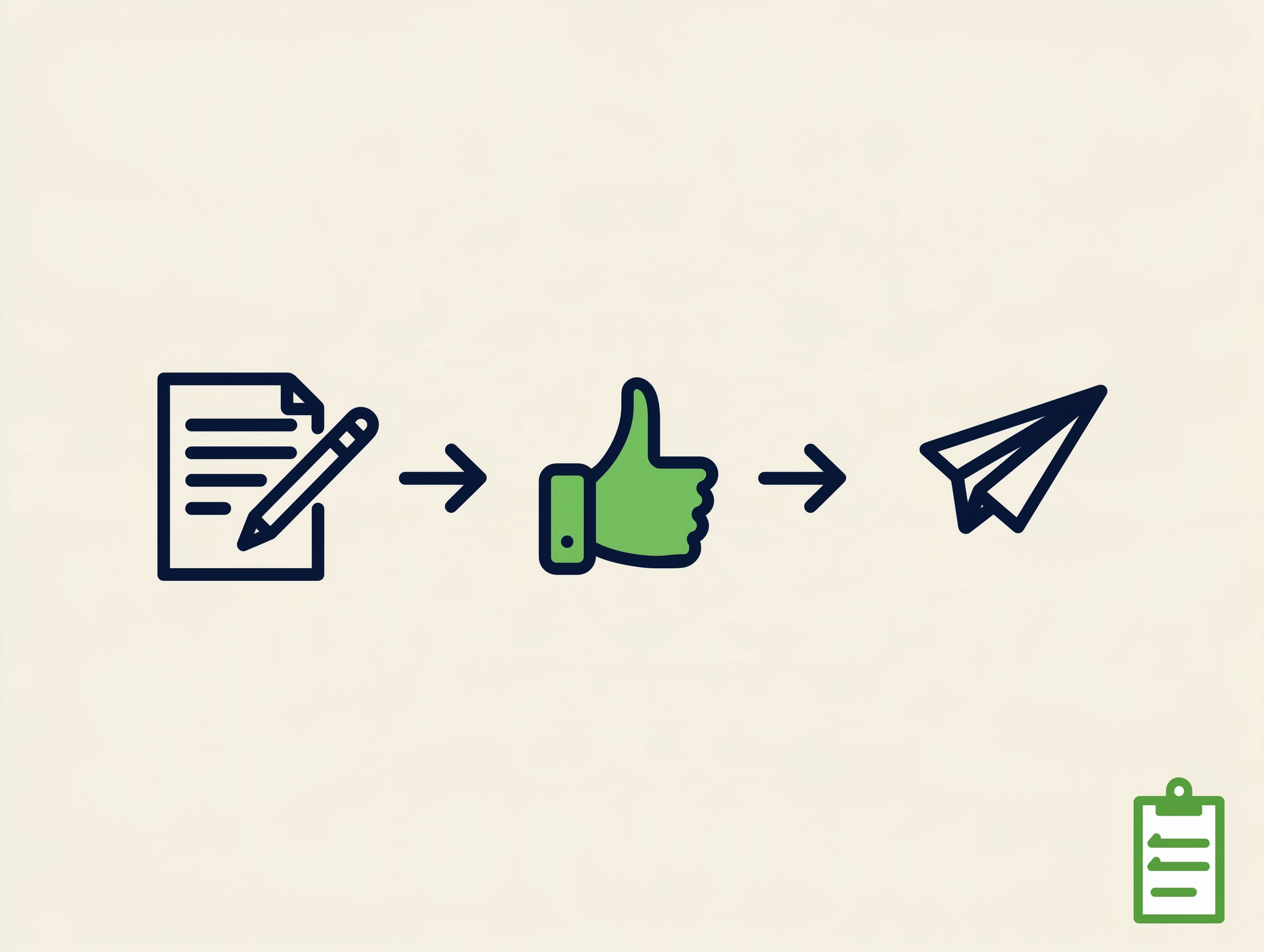
I put it in three words: Draft, Nod, Send.
- Draft. The AI prepares the follow-up, the brief, or the next step.
- Nod. You read it and approve it, edit it, or toss it.
- Send. Only then does it go out, under your name.
The middle step is the one that protects your business. Skip it, and you have handed your reputation to software that has never met your customer.
How My Own AI Team Handles Follow-Up
I do not just write about this. I run my business with a team of AI agents.
They handle intake, draft my emails, prep my content, track follow-ups, and put together my morning brief. They work on schedules while I am getting my two girls ready for the day.
Two rules make that safe.
First, nothing goes out without my word. Every agent drafts. I approve. Nothing sends, posts, books, bills, or spends until I say so. A follow-up email carries my name, and I want to see every one before a client does. A draft waiting for me costs me two minutes. A wrong email to a client can cost me the client.
Second, the follow-ups come to me. I do not go looking for them. The open items show up in one place every morning. That is the expediter model in real life. The list arrives. I make the calls.
The same thinking runs our house. The Weekly Meal Planner replaced HelloFresh for us and ended the Sunday planning spiral. The Digital Wall Calendar replaced a $50 a month subscription and the nightly "who is driving who where tomorrow" conversation. Neither one makes decisions for us. They bring the right information to the right person at the right time. Then a human decides.
That is what good follow-up looks like too.
So when I look at ChatGPT for Sales, my question is simple. Can it get the right draft in front of me faster than I would write it myself? If the answer is yes, it passes the Time test. If it brings back even one deal that would have gone cold, it passes the Money test. And if it takes that "I should get back to them" weight off my shoulders at 9 PM, it passes the Energy test.
Here Is What It Could Look Like in a One-Person Business
Let me give you a made-up example, so you can picture it. This is not a client story. It is just an illustration.
Say you run a small home organizing business from your kitchen table. On Monday, you do three free estimate calls. You jot notes on each one.
In the old way, Monday night you are tired. You tell yourself you will send the quotes tomorrow. Tomorrow fills up. By Thursday, one of those homeowners has already booked someone else.
In the new way, your call notes go into ChatGPT after each call. The Sales plugin turns them into a follow-up email and a short summary. If your workspace has a quotes tool like PandaDoc connected, it could draft the quote too. Tuesday morning, three drafts are waiting. You read them over coffee. You fix one price. You change "Hi there" to the homeowner's first name. You send all three before the kids are up.
Same you. Same skills. Just no 42-hour gap.
Seven Steps to Set Up AI Follow-Up the Safe Way
Here is how I would set this up. Most owners can do the first four steps in one afternoon.
- Check your plan first. ChatGPT for Sales is for Business and Enterprise workspaces, and an admin has to turn it on. If you are on a personal plan, you can still try the draft-first idea by pasting your call notes into ChatGPT and asking for a follow-up email. Start there before you pay for anything.
- Pick one place where leads live. If your leads are spread across a notebook, your texts, and three inboxes, no AI can help you much. Choose one home. That might be HubSpot, monday CRM, or even a simple spreadsheet. Every lead goes there.
- Give every lead an owner and a next date. This is the supply chain rule. Even if the owner is always you, write down when the next touch is due. That date is what the AI will work from.
- Connect only what you need, with read access first. Start by letting the AI read your CRM and calendar, not change them. Review which apps it can reach and which actions it can take. You can open it up later once you trust the setup.
- Make approval the rule, not the hope. Set it up so every email, CRM update, and quote lands as a draft for you to review. If a setting lets it send on its own, turn that off. This is the Nod in Draft, Nod, Send.
- Set a same-day reply goal for new leads. Remember those seven-times odds. Make it your rule that every new inquiry gets a real reply the same business day. Let the AI draft it within minutes so all you have to do is approve it.
- Check the results after 30 days. Count how many leads came in, how fast you replied, and how many turned into paying work. Compare it to the month before. If the numbers did not move, change the setup or drop it. A tool that does not pay for itself is just another subscription.
Start with step two tonight. It is not glamorous, but every other step depends on it.
Frequently Asked Questions
What is ChatGPT for Sales?
ChatGPT for Sales is a set of tools OpenAI launched on November 17, 2026. It includes a Sales plugin that helps with account planning, call prep, and follow-up drafts, plus an always-on agent called dot. It connects to more than 30 partner tools, including HubSpot, Salesforce, Close CRM, monday CRM, and PandaDoc.
Can I use ChatGPT for Sales on a personal ChatGPT plan?
OpenAI says ChatGPT Business and Enterprise admins can turn on ChatGPT for Sales for their team. The announcement does not name personal plans. Availability also depends on your region and workspace settings. On a personal plan, you can still paste call notes into ChatGPT and ask it to draft a follow-up email.
Is it safe to let AI send sales emails for my business?
It is safest to let AI draft and let a human send. A follow-up carries your name and your reputation. Set up every email, quote, and CRM change as a draft for your review. OpenAI describes dot's next steps as proposed "for review," and that is the right way to use it.
How fast should a small business follow up with a new lead?
As fast as you reasonably can, ideally within the hour and no later than the same business day. A study published in Harvard Business Review found that firms reaching out within an hour were nearly seven times as likely to qualify a lead as firms that waited one hour longer.
What is the Draft, Nod, Send method?
Draft, Nod, Send is a simple way to use AI for follow-up without losing control. The AI drafts the email, brief, or next step. You nod, meaning you read it and approve, edit, or toss it. Only then does it send under your name. The middle step protects your business.
A Better Way to Follow Up
Go back to that pile. The quote you promised. The craft fair lady. The client who said to check in after the holidays.
Now picture tomorrow morning. You pour your coffee. Three follow-ups are already drafted and waiting, each one with the right name, the right details, and the right next step. You read them. You fix one line. You send them all before the house wakes up.
Nobody is chasing you anymore. You are the one doing the chasing, and it took ten minutes.
That is what I want from AI in sales. An expediter that never forgets, never gets tired, and never sends a thing without my nod.
The tools will keep changing. OpenAI launched this one this week. Somebody else will launch a shinier one next month. The rule does not change. Keep your name on the decisions. Let the machine carry the list.
And keep asking the question that matters. Does this give me back Time, Money, or Energy?
If your follow-up goes from two days to two hours, and you get your evenings back while you are at it, that is all three.
That is A Better Way.
Follow-up is no longer only outbound. Customers' AI assistants now call inbound to book, so the same draft-and-approve rule applies on the other end of the phone. Read What Should Your Small Business Do When Google's Gemini AI Calls to Book?
Follow-up is one AI feature that earns its seat, while others in the same tools may not. For more on that, see Should You Turn Off the AI Features in Your Business Tools?
Keep Learning
- Your AI Agent Broke Something. Here's How to Know Before Your Client Does Simple ways to catch a problem with your AI setup early.
- Why Does Your AI Agent Forget Your Rules Halfway Through a Long Job? Why your approval rules need to be written down, not just assumed.
- How Do You Keep AI Usage Charges From Surprising Your Small Business? Planning ahead for the money side before you add new AI tools.
- Is Relying on a Single AI Tool a Risk for Your Business? What to think about before you run your whole pipeline through one platform.
About the Author
Warren Schuitema is an AI Systems Consultant with Matchless Marketing and Matchless AI. Before AI, he spent 16 years in manufacturing and supply chain, where every open order needed an owner and a next date. Today he runs his own business with a team of AI agents built on two rules: nothing goes out without his word, and the follow-ups come to him. He builds practical AI systems for small business owners and parent entrepreneurs, from a Weekly Meal Planner that replaced HelloFresh to a Digital Wall Calendar that replaced a $50 a month subscription. His test for every system is simple. Does it give back Time, Money, or Energy? Learn more at matchless-marketing.com.