Google, Microsoft, OpenAI, and Anthropic just backed one shared line of code that tells AI companies not to train on your site. Here is what it does, what it leaves alone, and how to decide page by page.
By Warren Schuitema, AI Systems Consultant, Matchless Marketing / Matchless AI
Published: November 2, 2026 | Last Updated: November 2026

Think about everything you have ever put on your business website.
Your service pages. That blog post you wrote at 10 PM after the kids went down. The free checklist you spent a Saturday building. Maybe a lesson plan or a how-to guide that took years to figure out.
All of it sits on the open web. And for the last few years, AI companies have been sending robots to read it.
On October 30, the four biggest names in AI said they would start respecting one simple, shared signal. Google, Microsoft, OpenAI, and Anthropic all backed a new line you can add to a small file on your website called robots.txt. That line says, in plain terms, "Please don't use my content to train your AI models."
So should your small business block AI from training on your website? For most owners, the answer is to split the decision. Keep the pages that bring you customers open, because those are the pages you want AI tools to find and mention. Think hard about the pages that hold work you sell, or work that makes you different. Those are the ones worth protecting.
One thing to know going in: this line is a polite request. A strong one now, with the big four behind it. Still a request.
The paid side of AI search changed the same week, and it pairs with this training decision: in What Do Google's New AI Mode Ads Mean for Your Small Business? I break down what happens now that ads show up inside Google's AI answers.
Key Takeaways
- On October 30, 2026, Google, Microsoft, OpenAI, and Anthropic backed a shared robots.txt signal,
__usage_ai-training, that lets a website opt out of AI training with one entry. - It covers training only. Google and Microsoft both say their AI training settings do not change whether you show up in regular search results.
- Rollout is staggered. Anthropic has started. OpenAI says "in the coming months." Microsoft starts February 1, 2027. Google is aiming for 2027.
- Pew Research found Google users clicked a regular search link in 8% of visits when an AI summary showed up, versus 15% when it did not.
- The smart move for most small businesses: keep your customer-facing pages open, and decide on purpose about the pages that hold your paid or original work.
Four AI Giants Just Agreed on One "Please Don't Train on My Site" Signal
Here is the news in plain words.
Every website can have a small text file called robots.txt, at an address like yoursite.com/robots.txt. It tells visiting robots which pages they may read. Search engines have followed it for decades.
The trouble with AI was that every company had its own robot names. Google had one setting. OpenAI had another. Anthropic had a few. If you wanted to opt out of AI training everywhere, you had to look up each company, find each robot's name, and write a separate rule for each one. SiliconANGLE described the old problem well. A site needed "a separate entry for every single AI provider."
Most small business owners never did that. Who has the time?
The new approach uses one shared name, called a policy token:
User-Agent: __usage_ai-training
Disallow: /
Those two lines tell every company that honors the signal to keep your whole site out of AI training.
You can also pick and choose. Here is the example from the proposal itself:
User-Agent: __usage_ai-training
Disallow: /
Allow: /press-kit/
That blocks training on the whole site but leaves a press kit folder open.
A few more facts:
Who wrote it. Anthropic's Kevin Kelley wrote it up as a draft for the Internet Engineering Task Force, the group behind many internet standards. It is an individual draft, so it has no formal standing yet, and it expires in May 2027 unless updated.
Who is in. Google, Microsoft, OpenAI, and Anthropic all announced support. Meta said it likes the idea but has not committed to it.
When it starts. Anthropic says it has already started building support. OpenAI says "in the coming months." Microsoft says it starts honoring the signal on February 1, 2027, as its Bingbot crawler revisits each site. Google says it aims to support the signal in 2027.
The catch-all rule does not count. Many sites have a rule that starts with User-Agent: *, which means "all robots." Under the draft, that rule does not count as an AI training choice. If you want to opt out of training, you have to write the new line on purpose.
The old settings still work. Each company keeps its own robot names too. OpenAI said the new signal "will not replace the controls we already provide through robots.txt." So if you already block specific AI robots, those rules stay in place.
Blocking Training Leaves Your Search Listing Alone
This is the part that worries most owners.
The new signal is about training, meaning using your content to shape how an AI model thinks and writes. That is separate from the normal search crawling that puts your business on Google.
Google's own documentation says its training control, called Google-Extended, "does not impact a site's inclusion in Google Search." Google says that when a site uses the new shared token to opt out of training, it plans to treat it as if that site had blocked Google-Extended.
Microsoft says the same about Bing. Its new preferences "do not change eligibility for traditional Bing search results."
So the line will not knock you off a regular search page.
But there is a gray zone, and you should know it exists. AI tools do two different jobs with websites:
- Training. Reading your content ahead of time to build the model.
- Answering. Fetching your page in the moment, so the AI can answer someone's question and often show a link back to you. The industry calls this "grounding."
The shared signal is built for job one. Job two runs on different settings at each company.
Anthropic's help page is a good example. It lists three separate robots. ClaudeBot collects content that "could potentially contribute to" training. Claude-User and Claude-SearchBot help Claude answer users and improve search results. Anthropic warns that blocking those last two "may reduce your site's visibility" when people search through Claude.
Microsoft is adding its own separate setting for answers, page by page. It also says something every owner should hear: "Neither choice guarantees inclusion, traffic, or payment."
And with Google, industry coverage at PPC Land reads Google's docs to mean that blocking Google-Extended can also keep your pages out of some Gemini answers, beyond training alone. Their reporting also says the plan does not touch Google's AI Overviews or AI Mode, which run on separate controls.
Here is the takeaway. Blocking training is a clean, low-risk move for your search listing. Blocking answers is a bigger decision, because that is where AI tools send people to you.
The Clicks Are Shrinking, and That Raises the Stakes
Why does this matter for a small business with a 12-page website? Because the way people find you is changing.
In July 2025, Pew Research Center looked at the real browsing of 900 US adults who agreed to share it. When Google showed an AI summary at the top, users clicked a regular search result in 8% of visits. When no AI summary showed up, they clicked nearly twice as often, in 15% of visits. And clicks on links inside the AI summary itself happened in just 1% of visits.
Put your business hat on. More of your content gets read and summarized. Fewer people click through to your site.
Plenty of website owners noticed. A team of researchers called the Data Provenance Initiative studied 14,000 web domains for a 2024 paper titled "Consent in Crisis." They found that in a single year, from 2023 to 2024, sites had used robots.txt to fully block about 5% of a major AI training dataset. Among the most actively maintained, most important sources in that dataset, the number was 28% or more.
A big share of the web's best publishers had already started closing the door, one robot at a time. The shared signal makes that choice easy for everyone, including you.
So the real question is a trade-off. You want to be found. You also want to protect the work that makes you worth finding.
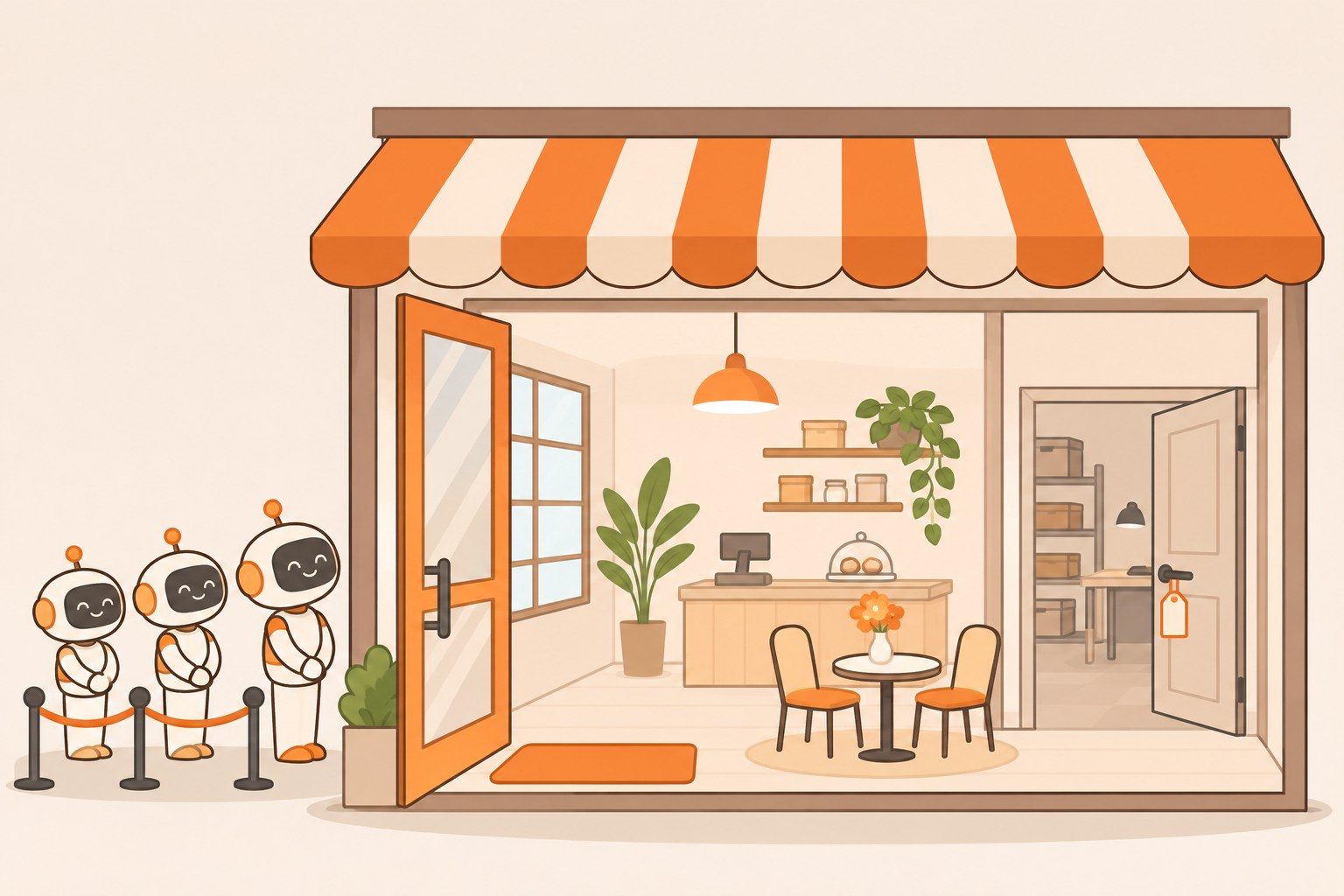
Your Website Has a Front Door and a Back Room
Here is how I think about it. I call it Front Door, Back Room.
Every small business website has two kinds of pages.
Front door pages are the ones you want the whole world to read. Your home page. Your services. Your hours and location. Your FAQ. Your "about" page. Your free blog posts that answer common questions. These pages exist to bring people in. If an AI tool reads them and says, "Try this local bakery, they do custom gluten-free cakes," that is a win.
Back room pages hold the work you sell, or the work that took you years to build. Paid course lessons. Downloadable templates. Member-only recipes. Detailed pricing models. Client case files that should never have been public. Original writing, art, or photos that are your product.
For front door pages, keep the door open. You want AI tools to know who you are and what you do.
For back room pages, you have a real choice to make. If your business sells knowledge, those pages are your inventory. Letting a model learn from them for free is a little like leaving your stock on the curb.
The new signal works by folder, so you don't have to pick "all in" or "all out." Yes to the front door, no to the back room, in a few lines.
One caution. Truly private material belongs behind a login. If only paying customers should see a page, put it behind a password. Robots.txt labels public pages. It was never built to guard secrets.
Robots.txt Is a Request, So Treat It Like a Policy
I spent 16 years in manufacturing and supply chain. One lesson from that world fits this news perfectly.
On a plant floor, you don't hand every drawing to every supplier. Some documents are open to anyone who asks. Some go out only under an agreement. A few never leave the building. The rules are written down, so nobody has to guess in the moment.
But a written rule only works if the other side follows it. That is the honest truth about robots.txt.
Robots.txt has always been a request. Each AI company still has to build support for the token and choose to respect it. A robot that ignores the rules can still read a public page. Coywolf's reporting pointed owners who need real blocking toward bot-blocking services that stop robots at the door.
So treat the new line like a company policy. It tells the honest players what you want, and the big ones now say they will listen. Real progress. Just don't confuse a policy with a padlock.
This is also how I run my own business. I run Matchless Marketing day to day with a workforce of AI agents. They research, draft, keep notes, and handle a lot of admin. Every one of them works from written rules. What they can read. What they can draft. What has to wait for my yes. I don't make those calls fresh each morning. I made them once, wrote them down, and the agents follow them.
Your website deserves the same thing. Decide once. Write it down. Review it on a schedule.
Does Blocking Pass the Time, Money, Energy Test?
Every system I build has to give back Time, Money, or Energy. If it gives back none, it goes. Here is how this decision holds up.
Time. Adding the line takes a few minutes, maybe 30 if your website builder hides the robots.txt settings. Before this week, the same job meant tracking down robot names company by company.
Money. This is where you need to be careful. If your free content brings in leads, blocking AI from reading it could cost you visibility over time. If your paid content is your product, letting AI train on it could cost you sales. The answer depends on which pages make you money and how.
Energy. For parent entrepreneurs, this matters most. Many owners carry a low hum of worry right now: "Is AI taking my stuff?" A clear, written choice quiets it.
Here is a made-up example to show how it plays out. This is a pretend business for illustration only. Picture a mom who sells printable homeschool lesson plans from her website. Her blog posts and FAQ answer common parent questions, so she leaves those open. They bring in shoppers. Her printable lesson library is the thing people pay for, so she adds a training block on that folder. She leaves the answer settings alone, since she still wants AI tools to mention her shop when a parent asks for help.
Front door open. Back room labeled.
The Calendar Is What Keeps This Decision Fresh
I learned this one at home.
Our family runs on a Digital Wall Calendar I built. It replaced a $50 a month subscription. More importantly, it ended the nightly "what does tomorrow look like" conversation. Once the plan was where everyone could see it, nobody had to carry it in their head.
Website settings need the same treatment. This rollout stretches into 2027, and rules like these shift. So put a review date on the calendar. Once a quarter is plenty.
One more date matters if you use certain older settings. Microsoft says that after March 1, 2027, it will stop reading the NoArchive and NoCache tags as a preference for training or answers. If your web person set those up to keep Bing's AI away, that method is about to stop doing that job. Put a reminder on the calendar to check.
How to Decide What to Block: 7 Steps
Give this about an hour. You don't need to be technical. If you have a web person, hand them this list.
- Find your robots.txt file. Type yoursite.com/robots.txt into a browser. If text shows up, you have one. If you get an error, your website builder may manage it in its settings.
- List your pages in two columns. Write "Front Door" and "Back Room" on one sheet. Services, FAQ, and blog usually go in Front Door. Paid lessons, templates, and member content usually go in Back Room.
- Move anything private behind a login. If a page should only be seen by paying customers or clients, robots.txt is the wrong tool. Put it behind a password first.
- Decide on training for the Back Room. If those pages are your product, add the new training line for that folder. For example,
User-Agent: __usage_ai-trainingfollowed byDisallow: /lessons/blocks training on just that folder.
- Leave the answer robots alone unless you have a reason. Don't block robots like Claude-User or Claude-SearchBot just because the word "AI" is in the name. Those help people find you when they ask an AI for help. Block them only if you have decided you don't want to show up in those answers at all.
- Check that it worked. After you save, load yoursite.com/robots.txt again and read it. Make sure the new lines are there and spelled exactly right, underscores and all. One typo and the rule does nothing.
- Put a quarterly review on your calendar. Every three months, read your robots.txt file and ask one question: does this still match how my business makes money? Then ask what this choice gave back in Time, Money, or Energy. Adjust from there.
Frequently Asked Questions
What is the new AI training opt-out signal?
It is a shared line for your website's robots.txt file, written as User-Agent: __usage_ai-training. Google, Microsoft, OpenAI, and Anthropic announced support on October 30, 2026. It tells participating AI companies not to use your pages to train their models. It comes from a draft filed with the Internet Engineering Task Force.
Will blocking AI training hurt my Google search ranking?
Based on what Google and Microsoft have said, no. Google's documentation says Google-Extended, its training control, "does not impact a site's inclusion in Google Search." Microsoft says its new preferences do not change eligibility for traditional Bing search results. Blocking the robots that fetch pages for AI answers is a separate choice with real visibility trade-offs.
When does the new signal start working?
It depends on the company. Anthropic says it has already started building support. OpenAI says it will honor the signal in the coming months. Microsoft starts on February 1, 2027, as its crawler revisits each site. Google says it aims to support the signal in 2027. Meta has not committed.
Does robots.txt actually stop AI companies from using my content?
Robots.txt is a request. Companies that support the signal say they will honor it, but each one has to build it in and choose to respect it. Robots that ignore the rules can still read public pages. For content that must stay private, use a login. For stronger blocking, look at a bot-blocking service.
Should a small business block AI training on its whole website?
Usually not the whole site. Most small businesses want AI tools to know about their services, hours, and helpful free content, because that brings customers. A better approach is to keep customer-facing pages open and decide on purpose about pages that hold paid or original work. The new signal lets you block by folder.
Your Best Work Deserves a Clear Rule
Go back to that list from the top. Your service pages. Your late-night blog post. Your Saturday checklist. The work it took you years to figure out.
Some of it is meant to be shared. That is the stuff that brings people to your door. Let AI tools read it. Let them tell people you exist.
Some of it is your living. You get to decide whether it becomes training material, and as of this week, saying no takes a couple of lines instead of a weekend of research.
You won't control everything. But the four biggest AI companies just said they will listen. That is worth a few minutes of your time.
Open the front door. Label the back room. Put a review date on the calendar.
Decide once, write it down, and get back to the work only you can do.
That is A Better Way.
Keep Learning
- How Do You Know If ChatGPT and Google AI Are Sending Customers to Your Small Business? How to see whether AI tools are already sending people your way.
- Will AI Shopping Agents Send Customers to Your Small Business, or Straight to Amazon? What happens when AI does the shopping for your customers.
- Can a Free AI Assistant Keep Your Small Business in Good Standing? Let AI answer and remind, and keep the judgment human.
- Is Google's New Gemini Business Hub Worth Using for Your Small Business? How Google's business assistant works, and who it fits.
- Should You Give an AI Agent the Passwords to Your Business Accounts? The access rules worth writing down before you hand over the keys.
About the Author
Warren Schuitema is an AI Systems Consultant with Matchless Marketing and Matchless AI. He spent 16 years in manufacturing and supply chain, where every document has a written rule for who gets to see it. He runs his business day to day with a workforce of AI agents that work from written rules and never send, sign, or spend without his approval. At home, his Digital Wall Calendar replaced a $50 a month subscription and the nightly schedule conversation, and his Weekly Meal Planner replaced HelloFresh and ended the Sunday planning spiral. He helps small business owners and parent entrepreneurs build practical AI systems that give back Time, Money, or Energy. He writes as The AI Dad.