QuickBooks just gave its AI two money jobs: following up on late invoices and running more of the month-end close. Here is what each one does, what is still in pilot, and how to hand off the chasing without handing off the judgment.
By Warren Schuitema, AI Systems Consultant, Matchless Marketing / Matchless AI
Published: November 3, 2026 | Last Updated: November 2026

You know the feeling.
It is the 12th of the month. You finished the job weeks ago. The client loved it. And the invoice is still sitting there, unpaid, while your own bills show up right on time.
So you open a blank email. You write "Just following up..." and delete it. You try again. You wonder if you sound needy. You wonder if you sound rude. Twenty minutes later you send something you don't love, and you feel a little worse about a client you actually like.
Last week, Intuit announced that QuickBooks will take on more of this job with AI. Its new cash flow and invoicing tools spot invoices that are running late and follow up with your customers for you. A separate tool, still in a small pilot, runs more of the monthly close for accounting firms.
So should you let AI chase your unpaid invoices and close your books? Here is my answer. Let AI do the chasing. Keep the deciding. Reminders, aging reports, and first drafts of follow-ups are perfect work for AI. Payment plans, disputes, and anything that touches a client relationship still need you. And the month-end close agent is built for your accountant to supervise, so ask your bookkeeper about it before you go looking for it.
Key Takeaways
- At Intuit Connect on October 27, 2026, Intuit announced AI cash flow and invoicing tools that surface aging invoices and automatically follow up with customers. They are rolling out to U.S. businesses now.
- Intuit says businesses using its AI invoice reminders got paid 4 days faster on average. That figure comes from Intuit's own customer data, and it is an average, not a promise.
- Agentic Books Close, the new month-end close tool, is an add-on for accounting firms. It is in pilot with select customers, it may cost extra, and Intuit has not given a date for wider release.
- The Federal Reserve found 46% of small employer firms use AI, but just 7% of AI users have fully worked it into their business. Money tasks are where most owners have not gone yet.
- The smart move: let AI draft and send the routine reminders on rules you set, and keep every judgment call about a real customer on your desk.
QuickBooks Just Handed Its AI the Collections Job
Here is the news in plain words.
On October 27, Intuit held its Intuit Connect event in Las Vegas and announced a big expansion of what it calls Intuit Intelligence. That is the AI layer that runs inside QuickBooks and Intuit's tools for accountants.
Two pieces matter most for a small business owner.
Piece one: AI that chases your invoices. Intuit described "AI-powered cash flow and invoicing tools that proactively surface aging invoices, benchmark a business against peers, and automatically follow up with customers." In plain terms, QuickBooks will notice when an invoice is getting old, show you how you compare with similar businesses, and send reminders to your customers.
Intuit says these tools help businesses "get paid 4 days faster on average." Read the fine print on that one. The number comes from U.S. customers who used Intuit's outstanding invoice alerts and AI-drafted reminders, compared with customers sending standard reminders, from March 2025 to March 2026. It is Intuit measuring Intuit. Small Business Trends, in its own coverage, noted that the analysis "does not guarantee similar results for every business."
Still, four days is real money when you run lean.
Intuit says these capabilities started rolling out to U.S. businesses and accounting firms on October 27, with more features and other countries to follow.
Piece two: AI that runs more of the month-end close. This one is called Agentic Books Close. According to Intuit, it "runs more of the monthly close process automatically, following a firm's own standard operating procedures and tracking actions in an audit log, while accountants supervise, review, approve, and manage exceptions."
TokenPost reported that it prepares account reconciliations, flags things that look off, and suggests fixes. Every action gets logged.
Before you get excited, look at who it is for and when. Agentic Books Close is an add-on to Intuit Accountant Suite, which is the toolset accounting firms use. Intuit's own disclaimer says it "is currently in pilot with select IAS customers. Additional fees may apply." TokenPost added that Intuit "has not announced a general-availability date."
So if you do your own books, this one is not on your screen yet. If you pay a bookkeeper, it may show up in their workflow later.
Late Invoices Are Piling Up on Small Businesses
Why does Intuit care so much about collections right now? Because late payments are getting worse.
In the same announcement, Intuit cited its 2026 QuickBooks Small Business Late Payments Report. It found that "nearly 3 in 5 small businesses have invoices overdue by 30 days or more, up from 47% last year."
That is Intuit's own survey, so weigh it that way.
The Federal Reserve tracks this too, in its own way. Every year, the regional Federal Reserve Banks run the Small Business Credit Survey. The 2025 survey gathered 6,525 responses from small employer firms between September and November 2025, and the report came out in March 2026. When the Fed asks owners about money trouble, one of the challenges it lists is "uneven cash flow." And the Fed's definition is telling. Its footnote says "uneven cash flow" includes "collecting on receivables."
In other words, the Fed counts chasing your money as part of your cash flow problem.
For a parent running a business from home, uneven cash flow hits the business account and the kitchen table at the same time.
Most Owners Use AI to Write, Not to Run the Money
Here is the gap this news is trying to fill.
Small businesses have picked up AI fast. The U.S. Chamber of Commerce's 2025 Empowering Small Business report found that 58% of small businesses say they use generative AI. That was up from 40% in 2024 and 23% in 2023.
The Federal Reserve's numbers are a little lower because it asked a different question. It found that "nearly half of firms (46%) reported that their business or its employees currently use AI," with another 15% planning to start within a year. Those two surveys measure different things, so I won't stack them together. But both point the same way. A big share of small businesses use AI now.
Now look at what they use it for. The Fed found the most common tasks were "writing or marketing (83%), followed by individual productivity (61%) and planning or analysis (51%)."
Writing. Marketing. Planning. Those are low-risk jobs. A bad social post costs you a little attention. A bad invoice reminder can cost you a client.
And here is the number that stuck with me. The Fed found that "just 7% of AI users had fully integrated AI into their business."
Seven percent.
So most owners use AI like a smart notepad. Very few have let it touch the money side of the business. That makes sense. Money is where mistakes hurt.
The Fed also found that 71% of AI users said it led to increased productivity. The appetite is there. The trust is still catching up.
The Real Question Is Who Presses Send
Here is how I think about this news.
Most people ask, "Should I trust AI with my invoices?" That turns the whole thing into a yes-or-no gamble.
The better question is this: for each money task, who presses send?
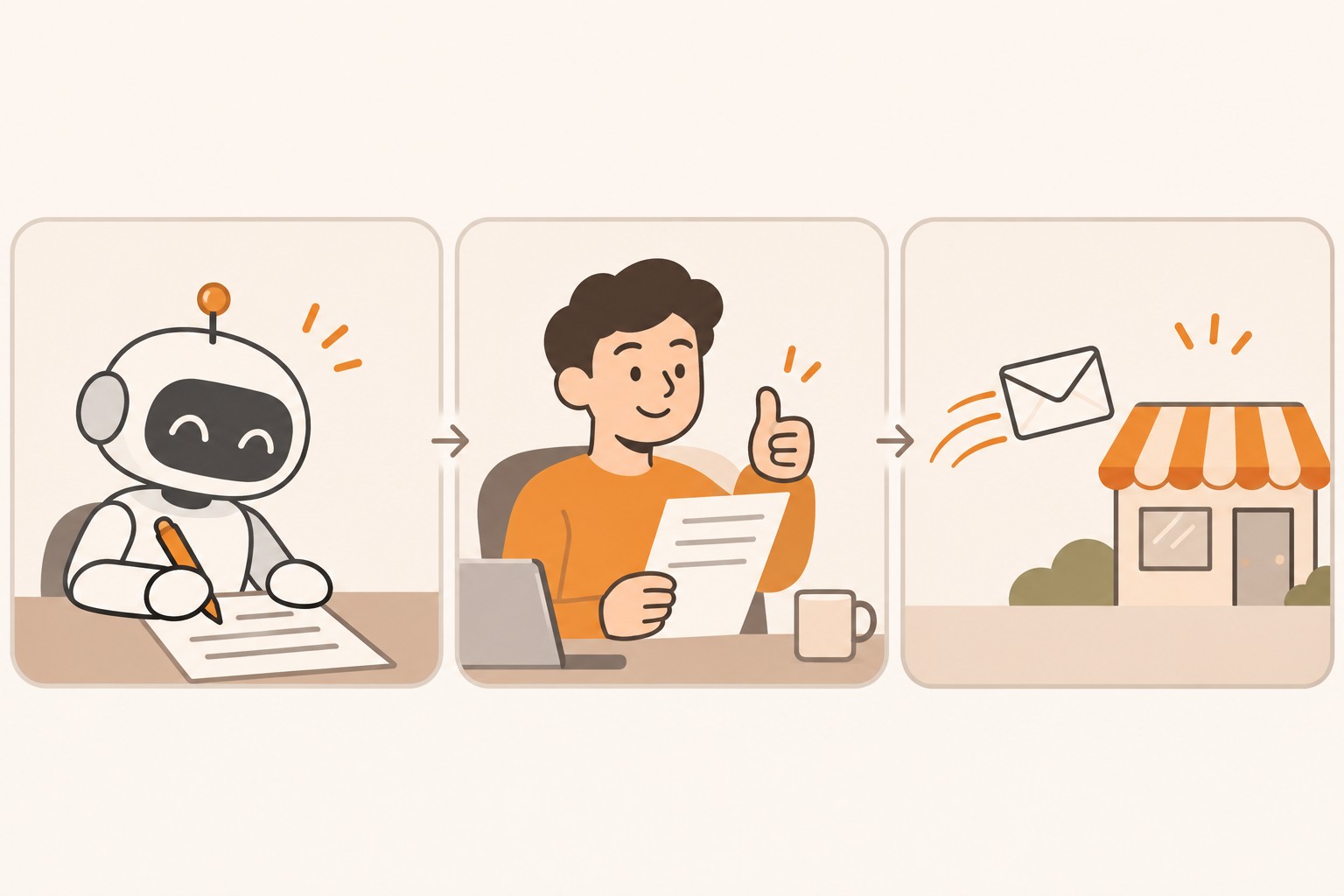
I call it Draft, Decide, Send. Every money task in your business has those three steps. Someone drafts the message or the entry. Someone decides it is right. Someone sends it or posts it. The trick is choosing, on purpose, which steps AI gets.
For a polite reminder on an invoice that is three days late, AI can do all three. You set the rules once. It drafts, it checks against your rules, and it sends.
For a client who is 60 days late and just told you their business is struggling, AI can draft. You decide. You send. Maybe you pick up the phone instead.
This is exactly how I run my own business. Matchless Marketing runs day to day on a workforce of AI agents. They research, draft, track, and keep notes. But they all work under one written rule: nothing sends, posts, invoices, books, buys, signs, or spends without my word. Drafts only, held for my yes.
That rule gives me back a lot of time, because drafting is where most of the hours go. And I keep control, because the decision still sits with me.
Intuit seems to be thinking the same way, at least in how it describes these tools. Its announcement talks about "keeping businesses and accountants in control of important decisions." Apideck, writing about Intuit's fall product update, quoted this line from Intuit: "You review and approve everything before it sends."
Good. Your job is to make sure your own settings match that design.
The Books Close Agent Is Built for Your Accountant to Supervise
Look at the key words in Intuit's description. It follows "a firm's own standard operating procedures." It tracks every action "in an audit log." Accountants "supervise, review, approve, and manage exceptions."
That reads like a page from a manufacturing playbook. I spent 16 years in manufacturing and supply chain, and the best-run operations work this way. You write the procedure down. You let the routine work run. You keep a record of what happened. And the people with judgment spend their time on the exceptions, the things that don't fit the pattern.
Supply chain people call this managing by exception. You don't inspect every bolt that comes off a good line. You watch for the ones that are out of spec.
Agentic Books Close applies that idea to the books. The AI reconciles. A human reviews the flags.
Two things to take from this, even if you never touch the tool.
First, if your bookkeeper or accountant starts using it, ask them how they review the flags and how often. You are still the owner. You want to know a human with training is looking at the exceptions.
Second, notice that this kind of agent only works because someone wrote down the procedure first. Agents need written rules. If your invoicing process lives only in your head, no AI tool can follow it well. Write it down first, and every tool you add later gets better.
What Should Stay a Human Call?
Here is where I'd draw the line for most small businesses.
Let AI handle:
- Spotting invoices that are getting old
- Sending friendly reminders before and right after the due date
- Drafting a firmer second reminder for you to review
- Sorting your open invoices by age and amount so you see the big ones first
Keep on your desk:
- Any customer who says they can't pay right now
- Payment plans, discounts, or waived late fees
- Disputes about the work or the amount
- Your biggest clients and your longest relationships
- Anything that mentions stopping work, collections agencies, or lawyers
A reminder is a process. A hardship conversation is a relationship. AI is good at the first and has no business owning the second.
Here is a made-up example to show how this plays out. This is a pretend business for illustration only. Picture a dad who runs a garden design business from his home office. He bills on net 30. He sets his invoicing tool to send a friendly reminder three days before the due date and another one three days after. Those go out on their own. At 15 days late, the tool drafts a firmer note, and he reads it before it sends. At 30 days late, nothing goes out automatically. He gets an alert instead, and he decides whether to call.
His clients get consistent, polite reminders. He stops writing the same awkward email over and over. And he still handles the hard ones himself.
Does This Pass the Time, Money, Energy Test?
Every system I build has to give back Time, Money, or Energy. If it gives back none, it goes. Here is how AI invoice follow-ups hold up.
Time. This is the clearest win. Writing reminders and tracking who is late eats real hours every month. Handing the routine reminders to AI gives most of that back.
Money. Intuit's 4-days-faster figure is promising, but it is Intuit's own number, measured on Intuit's own customers. Your results will depend on your customers. The bigger money question is cost. Check what your plan includes before you count on any of this. Intuit's own disclaimer says additional fees may apply for Agentic Books Close, and Small Business Trends warned that "certain features may require additional fees, upgrades, or eligibility requirements."
Energy. For parent entrepreneurs, this one might matter most. Chasing money drains you in a way the clock doesn't show. The dread. The second-guessing. The feeling of being the bad guy with a client you like.
I know what it feels like when a nagging weekly task finally gets a system. Our Weekly Meal Planner replaced HelloFresh in our house and ended what I call the Sunday planning spiral. The planning still happens. It just stopped eating my Sunday evening. A good invoice reminder system can do the same for that "who still owes me" loop running in the back of your head.
Time: strong yes. Money: likely yes, check the costs. Energy: yes, if you set the rules so you only see the hard cases.
How to Hand Off Your Invoice Follow-Ups: 7 Steps
Give this about an hour. You don't need to be technical, and these steps work whether you use QuickBooks or another invoicing tool.
- Pull your aging report. Every invoicing tool has a list of open invoices sorted by how late they are. Print it or pull it up. Circle anything over 30 days late. Those are your human calls, not AI jobs.
- Write your reminder rules on one page. Decide your timing. For example: a friendly note 3 days before the due date, a reminder 3 days after, a firmer note at 15 days, and a personal call at 30 days. Write it down so any person or tool can follow it.
- Write your "never automate" list. List the customers and situations AI should never touch on its own. Your top clients. Anyone on a payment plan. Anyone with an open dispute. This list is your safety rail.
- Turn on reminders in review mode first. If your tool lets you approve AI-drafted reminders before they send, start there. Read every one for two weeks. Fix the tone until it sounds like you.
- Let the routine reminders run. Once the drafts sound right, let the early, friendly reminders send on their own. Keep the firmer ones in review mode. This is Draft, Decide, Send in action.
- Check the costs before you add anything. Look at what your current plan includes. Ask before you turn on any add-on. If you work with a bookkeeper or accountant, ask whether they plan to use Agentic Books Close and how they will review its flags.
- Put a monthly review on your calendar. Once a month, look at three things: how many invoices are past 30 days, how many reminders went out, and whether any customer pushed back on the tone. Then ask what this gave back in Time, Money, or Energy, and adjust your rules.
Frequently Asked Questions
What did Intuit announce for QuickBooks at Intuit Connect 2026?
On October 27, 2026, Intuit announced an expansion of its Intuit Intelligence platform. For small businesses, the main addition is AI cash flow and invoicing tools that surface aging invoices, compare a business with peers, and automatically follow up with customers. Intuit says these features are rolling out to U.S. businesses and accounting firms now.
Will AI invoice reminders really get me paid faster?
Intuit says customers using its AI-drafted reminders and outstanding invoice alerts got paid 4 days faster on average than customers sending standard reminders, based on U.S. data from March 2025 to March 2026. That is Intuit's own measurement and an average. Your results depend on your customers, your terms, and how you set the reminders up.
What is Agentic Books Close, and can I use it?
Agentic Books Close is an AI tool that runs more of the monthly close, including reconciliations and anomaly flags, while accountants review and approve the work. It is an add-on to Intuit Accountant Suite, which accounting firms use. It is in pilot with select customers, may cost extra, and has no announced date for wider release.
Is it safe to let AI send messages to my customers?
It can be, if you set clear rules. Start in review mode so you approve each AI-drafted reminder before it sends. Once the tone sounds like you, let the early friendly reminders send on their own. Keep payment plans, disputes, hardship conversations, and your biggest clients as personal decisions you handle yourself.
What invoicing tasks should a small business never hand to AI?
Keep anything that involves judgment about a relationship. That includes payment plans, discounts, waived fees, disputes about the work, customers going through a hard time, and any talk of stopping work or sending an account to collections. AI can draft notes for these situations, but you should decide what to say and when to send it.
Get Paid Without Becoming the Bad Guy
Go back to that unpaid invoice on the 12th of the month. The blank email. The twenty minutes of second-guessing.
That job never needed your heart. It needed a schedule, a polite script, and someone to keep track. AI can do all three now, and it can do them the same way every time, without the dread.
What it can't do is know which client just lost a parent, or which one has paid late for years but always comes through, or which one is worth a phone call instead of an email. That part is yours. It should stay yours.
So split the job. Let AI draft. You decide. Let the easy reminders send themselves.
Write the rules once. Put a review on the calendar. Spend the time you get back on the work only you can do, and on the people at your own kitchen table.
That is A Better Way.
Keep Learning
- How Do You Keep AI Usage Charges From Surprising Your Small Business? How to keep new AI costs from sneaking onto your bill.
- Is Your AI Assistant Quietly Making Your Business Decisions for You? Where AI help ends and your judgment begins.
- Should You Give an AI Agent the Passwords to Your Business Accounts? The access rules worth writing down before you hand over the keys.
- Should You Let Meta's Muse AI Agent Help Run Your Small Business? What happens when an AI agent connects to your store, ads, and books.
- Can a Free AI Assistant Keep Your Small Business in Good Standing? Let AI answer and remind, and keep the judgment human.
About the Author
Warren Schuitema is an AI Systems Consultant with Matchless Marketing and Matchless AI. He spent 16 years in manufacturing and supply chain, where good operations run on written procedures and people manage the exceptions. He runs his business day to day with a workforce of AI agents that draft, track, and research, and never send, invoice, sign, or spend without his approval. At home, his Weekly Meal Planner replaced HelloFresh and ended the Sunday planning spiral, and his Digital Wall Calendar replaced a $50 a month subscription and the nightly schedule conversation. He helps small business owners and parent entrepreneurs build practical AI systems that give back Time, Money, or Energy. He writes as The AI Dad.