Google Play now lets you build a private Android app in Google AI Studio and put it on your own phone, with no developer account. Here is how a busy parent running a business from home can decide what to build and what to keep paying for.
By Warren Schuitema, AI Systems Consultant, Matchless Marketing / Matchless AI
Published: October 19, 2026 | Last Updated: October 2026

For a long time, our family paid $50 a month for a calendar service.
Every month the charge went through. And every night, somebody in our house still asked the same question. "So... what does tomorrow look like?"
Then I built my own Digital Wall Calendar. The $50 charge is gone. So is the nightly question. That is $600 a year back in our pocket, plus a conversation we never have to have again.
I tell you that story because of what Google did on October 13. Google Play now lets you build a personal Android app with Google AI Studio and run it on your own phone. You describe the app in plain English. AI writes it. No developer account, no app store listing, no stranger downloading it.
So, should you build your own app with AI instead of paying for another subscription? Yes, for the right kind of job. If you are a U.S. adult with an Android phone, you can now build a small app for the work that is specific to your house or your business, and you should. Keep paying for anything that holds money, passwords, or your kids' private information. Those jobs need a company with a security team behind them.
That is the whole idea in one line: buy the standard parts, build the part that makes your house yours.
Key Takeaways
- Since October 13, 2026, U.S. adults can build a personal Android app in Google AI Studio and install it through Google Play with a standard Google account.
- At launch, the app runs only on your own device. Google says sharing with a small circle of family and friends is coming in the months ahead.
- Research from Veracode found AI-written code added security flaws in 45% of its test cases, so keep money, passwords, and kids' data out of homemade apps.
- Use the old factory "make or buy" question: buy the commodity, build the custom part that fits your family's rules.
- Run every build through the Time, Money, Energy test before you start, and count what you cancel, not just what you build.
Every Family Business Pays a Subscription Tax
If you run a business from your kitchen table, you know the stack.
The calendar app. The meal kit. The note app, the to-do app, the invoice tool. Each one solves a slice of the problem. Each one bills you every month. And none of them quite matches how your family works.
So you bend your family to fit the app.
I spent 16 years in manufacturing and supply chain. On the plant floor, we had a name for this. When a part almost fits, people force it. They shim it. They work around it. Every workaround costs a little time on every shift, forever. Nobody writes it down, because nobody sees it as a cost. It just becomes "how we do things."
Most of the apps on your phone are that almost-fit part.
Here is where it got real for us. HelloFresh was showing up at our door. But Sunday still turned into a planning spiral. What are we eating this week? What do the girls actually like this month? Which night is too tight for a real dinner? The box solved the shopping. It did not solve the deciding.
That is the problem with most subscriptions. They solve the general job. Your family has a specific job.
Until last week, building something specific meant hiring a developer, learning to code, or publishing to a store full of strangers. For a parent with a business and two kids, none of those were real options.
That just changed.
Here Is What Google Actually Changed on October 13
Here are the facts, pulled from the launch coverage at TechCrunch, gHacks, and Unite.ai.
Who can use it. At launch, the feature is open to users in the United States who are 18 and older.
How it works. You build an app in Google AI Studio by describing what you want. Google calls this "vibe coding." Then you launch the app on your own Android phone through Google Play, signed in with your regular Google account. According to gHacks, no developer account is needed. You may need to update the Play Store app first, since the change is still rolling out.
Who can see it. TechCrunch reports that personal apps do not show up in Google Play search or on store listing pages. They are not shared with anyone but you. Unite.ai quotes Google describing these apps as "private, secure, and separate from the public store catalog."
The big limit. Right now, the app runs on your own device only. Google says that "in the months ahead," you will be able to share an app with a small group of trusted family and friends.
The rules still apply. TechCrunch notes that personal apps still have to follow Google Play's policies. If an app ever gets popular, you can move it to the public store, but only after it passes Google's trust and safety reviews.
What Google says. Sam Bright, Google's vice president and general manager for Google Play, said at a press briefing that the future of apps on Google Play is "personal, secure, and built by everyone."
That is a big shift. TechCrunch points out that before this, running your own custom app on Android usually meant publishing it to the Play Store, in front of roughly 3 billion users. Now you can build something for an audience of one.
I carry a Pixel, so this one lands right on my phone.
But read that limit again. A family app that only one person can open is a personal app for now. Keep that in mind when you pick your first build.
The Numbers Say We Are Ready to Build, With a Few Guardrails
Let's look at what the research says about the people who would use this.
Small businesses already use AI. The U.S. Chamber of Commerce published its Empowering Small Business report in August 2025. It found that 58% of small businesses use generative AI, up from 40% in 2024 and 23% in 2023. That is more than double in two years. So if you already use an AI tool for your business, you are in the majority. Building an app in AI Studio is a short step from there.
Families want out of subscriptions. In April 2026, NerdWallet reported that 55% of U.S. adults plan to significantly cut back on subscriptions this year to save money. For parents of kids under 18, that number jumps to 63%. Parents feel the stack more than anyone.
AI-written code is not automatically safe code. Veracode tested more than 100 AI models on 80 coding tasks for its 2025 GenAI Code Security Report. In 45% of the test cases, the AI introduced a known type of security flaw. Veracode's CTO, Jens Wessling, put it plainly: the models are "getting better at coding accurately but are not improving at security."
Plenty of families are left out for now. This feature is Android only. StatCounter's data for September 2026 shows Android running on about 46% of mobile devices in the U.S., with iOS on about 54%. If your house runs on iPhones, this launch is not for you yet.
Put those four numbers side by side.
Owners are ready to use AI. Families are ready to drop subscriptions. The building just got easy. But the safety of what AI builds still depends on what you ask it to build.
That last part is where most people will get burned. The trouble starts when someone hands a homemade app a job it should never hold.
Buy the Standard Parts, Build the Part That Makes Your House Yours
Here is the reframe I want you to take with you.
In manufacturing, every plant runs a "make or buy" decision. Should we make this part ourselves, or buy it from a supplier?
The answer was almost always the same. You buy the commodity. Bolts, bearings, standard wire. Those parts are cheap, tested, and made by people who do nothing else all day. Making your own bolts is a great way to waste money.
You make the part that is specific to your product. The part your customers notice. The part no supplier sells because it only fits your design.
Your family works the same way.
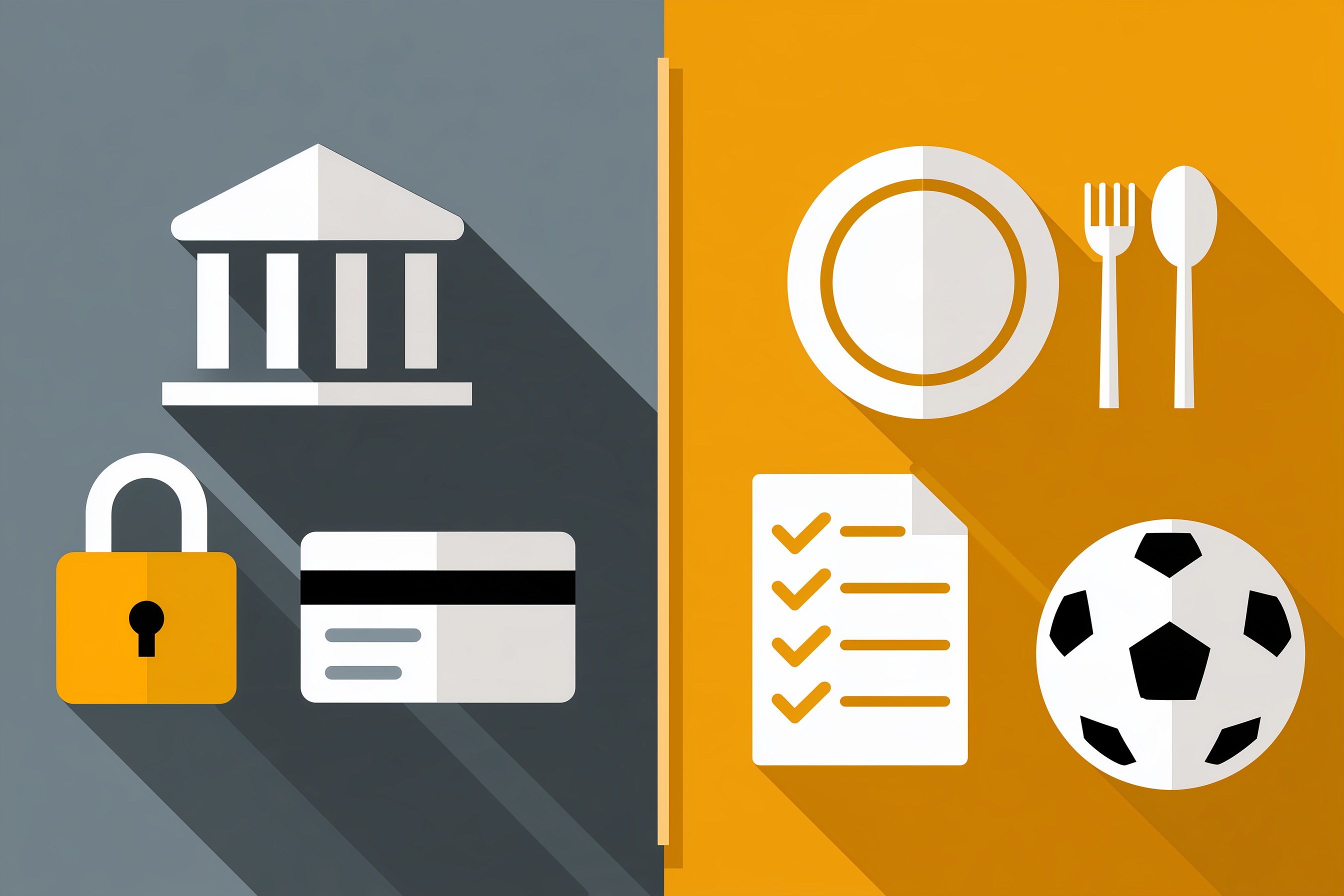
Buy the commodity. Banking. Payments. Password storage. Email. Cloud backup for your photos. Anything that holds money, logins, health records, or your kids' school details. These are the bolts. Big companies with full security teams make them, and a homemade version is a risk you do not need.
Build the custom part. Your meal rotation. Your chore rules. Your practice pickup schedule. Your Sunday check-in. Your client follow-up habits. These are the parts that only fit your house. No app store sells them, because nobody else lives the way your family lives.
Then run every build through the Time, Money, Energy test. Will it give you back time every week? Will it replace something you pay for, so you can cancel it? Will it take load off the person who carries the plan in their head?
Two yeses, build it. Zero yeses, skip it, no matter how fun it sounds.
A homemade app that replaces nothing is just one more thing on your phone.
What My Meal Planner and Wall Calendar Taught Me About Building Your Own
Both of my home systems started the same way. A problem kept showing up every week, and I got tired of it.
The first was Sunday. My Weekly Meal Planner replaced HelloFresh in our house and ended the Sunday planning spiral. The win came from writing down our rules first: what we like, what we will not eat, and which nights are tight. Once the rules were clear, the planner just followed them. A meal kit company cannot know those rules. We can.
The second was every night. My Digital Wall Calendar replaced a $50 a month subscription and ended the nightly schedule conversation. Same pattern. Clear rules about who owns what and what goes on the calendar. Then a screen that shows the plan to everyone. I wrote more about that system-first habit in my post on whether Apple HomeView is worth it for busy families.
Notice what both builds have in common. They are custom parts. They hold our rules. Our bank account stays with the bank. And each one let us cancel something.
My business runs the same way. I have an AI agent workforce that handles a lot of the day-to-day work at Matchless. Every agent has a written job description that says what to do, what to avoid, and when to hand something back to me. This article came out of one of those workflows. The agents never touch money or send anything without my word. That is a make or buy decision too. I built the custom process. I kept the bank, the payment tools, and the final approval with the professionals and with me.
Google's new feature just makes the "build" side cheaper and faster for anyone with an Android phone.
If you are wondering how this fits with the other new AI tools Google keeps shipping, my post on what Google replacing Gemini Gems with Skills means for your small business covers the assistant side of the same family of tools.
Which Apps Should a Parent Entrepreneur Build First?
Start with the jobs that are personal, low risk, and annoying. Here is a quick sort.
Good first builds:
- A dinner picker that knows your family's rules and your tight nights.
- A practice and lesson tracker for the kids' activities.
- A daily checklist for your morning business routine.
- A client follow-up reminder list that matches how you actually work.
- A simple habit or chore tracker with your house rules built in.
Keep paying for these:
- Anything that stores card numbers or bank logins.
- Anything that sends money or takes payments.
- Anything that holds medical details or your kids' school records.
- Anything your whole family must open today, since sharing is not live yet.
Here is a quick made-up example to show the sort in action. This is not a client story.
Picture a mom who runs a bookkeeping business from her spare room. Her son plays two sports. She builds a small app that lists every practice, who drives, and what gear goes in the car. It lives on her phone, which is fine, because she is the one who runs the schedule today. When Google turns on family sharing, her husband gets it too.
She does not build her own invoicing app. She keeps the invoicing tool she already pays for, because it handles client money. That is the line.
If you want a refresher on the scam side of all this, my post on protecting your small business from AI-powered scams is a good read before you install anything new.
7 Steps to Build Your First Personal App This Weekend
You can do all seven of these in a weekend with the Android phone you already own.
- Check that you qualify. You need to be in the U.S., 18 or older, with an Android phone and a standard Google account. Open the Play Store and install any updates first, since the feature is still rolling out. If your house runs on iPhones, skip to step 2 and keep your notes for later.
- List your subscriptions and your workarounds. Open your bank app and write down every monthly charge. Next to each one, write the workaround you still do by hand. The gap between what you pay for and what you still do yourself is where your first app lives.
- Sort each item with make or buy. Mark anything that touches money, passwords, health, or kids' records as "buy." Mark anything that is just your family's rules as "build." Pick one "build" item. Only one.
- Write your house rules down first. Before you open AI Studio, write five to ten plain rules for that one job. For a dinner app, that might be: "No fish. Tuesdays and Thursdays take 20 minutes or less. One meal a week the girls pick." The rules are the real app. AI just turns them into buttons.
- Describe the app in plain English. Open Google AI Studio and paste in your rules. Then say what you want to see on the screen, like "Show me this week's dinners and let me swap any night with one tap." Keep it small. A one-screen app you use beats a ten-screen app you abandon.
- Keep private info out of it. Do not type in card numbers, passwords, addresses, or your kids' school details. If the app needs that kind of information to work, it belongs in the "buy" pile. This one rule keeps the stakes low, even if the code has a flaw.
- Run it for two weeks, then cancel something. Use the app every day for two weeks. Fix the rules where it breaks. Then go back to your list from step 2 and cancel the subscription it replaced. If you cannot cancel anything, ask whether the app is giving you back Time, Money, or Energy at all.
Frequently Asked Questions
Do I need to know how to code to build an app in Google AI Studio?
No. Google AI Studio lets you describe an app in plain English, and AI writes the code. Google calls this vibe coding. You still need clear instructions, so write your rules down first. The better you describe the job, the better the app. Coding skills help with fixes, but they are not required to start.
Can my spouse and kids use the personal app I build?
Not yet. At launch, a personal app built in AI Studio runs only on the creator's own Android device. Google says that in the months ahead, creators will be able to share personal apps with a small group of trusted family and friends. Until then, build apps for jobs you personally run.
Is it safe to build my own app with AI?
It is safe for low-risk jobs like meal plans, chore lists, and activity trackers. Veracode's 2025 research found AI-written code added security flaws in 45% of test cases. Keep money, passwords, health details, and children's private information out of any homemade app. Use established services for those jobs.
Does Google Play personal apps work on iPhone?
No. The feature launched for Android phones through Google Play, for users in the United States who are 18 or older. iPhone families cannot install these personal apps. If your household uses iPhones, you can still write your house rules now, so you are ready if a similar option comes to your phone later.
How much does it cost to build a personal Android app with AI Studio?
Google says no developer account is needed, so you skip the usual sign-up step for publishing apps. Launch coverage did not list a fee for personal apps. Check the current terms in Google AI Studio before you build, since pricing for AI tools can change. Your biggest cost is a weekend of your time.
The App Store Was Never Built for Your House
Back to that nightly question. "So... what does tomorrow look like?"
Nobody in our house asks it anymore. Our own rules answered it, sitting where everyone could see them.
That is what Google just handed to every Android family in the country. The ability to build the custom part. The one no app store sells, because it only fits your house.
So do this. Write down your subscriptions this week. Sort them with make or buy. Keep paying for the bolts: the bank, the passwords, the kids' private stuff. Then pick one job that only your family does, write the rules, and build it.
If it gives you back time, keep it. If it lets you cancel something, even better. If it takes the plan out of one tired head and puts it on a screen, that is the win.
You do not need to become a developer. You already know the rules of your own house better than any software company ever will.
Build the part that fits your family, and buy the parts that don't need to. That is A Better Way.
Keep Learning
- Is Your Sunday Night Planning Ritual Still Taking 3 Hours? Here's the AI System That Fixes That A simple weekly reset that keeps your family plan and business plan in sync.
- Is Apple HomeView Worth It for Busy Families Running a Business From Home? Why the system comes first and the screen comes last.
- What Does Google Replacing Gemini Gems With Skills Mean for Your Small Business? How Google's AI assistant tools are changing for small business owners.
- How Do You Protect Your Small Business From AI-Powered Scams in 2026? Practical guardrails before you trust any new AI tool with your business.
- Do AI Agents Actually Handle Your Everyday Tasks, Or Is That Still Hype in 2026? A clear look at what AI can take off your plate today.
About the Author
Warren Schuitema is an AI Systems Consultant with Matchless Marketing and Matchless AI, known online as The AI Dad. He spent 16 years in manufacturing and supply chain, where make or buy decisions were part of the daily job. He brings that habit to every system he builds. At home, his Weekly Meal Planner replaced HelloFresh and his Digital Wall Calendar replaced a $50 a month subscription. At work, he runs his business day to day with a workforce of AI agents. He helps small business owners and parent entrepreneurs build practical AI systems that give back Time, Money, or Energy, and he is a partner in the Goal Achievers Summit.